Elden Ring Health Bar Meme Guide — How to Make Boss Death Screens for Discord
Discord’s link-preview crop ratio is 1.91:1 — build your banner at anything else and Discord chops the edges off before anyone sees your punchline. That single spec breaks more Elden Ring meme banners than bad font choices do. Here’s the exact banner types, dimensions, and export settings that actually survive the trip into a Discord server.
Table of Contents
The Three Banner Types Worth Making
Elden Ring’s boss-defeat text isn’t one banner — it’s three distinct styles depending on what you just killed, and mixing them up is the first thing a Souls-literate audience will call out:
| Banner Text | When It Actually Appears | Meme Use Case |
|---|---|---|
| GREAT ENEMY FELLED | Field bosses, mini-legends | Beating an “easy” boss after 40 deaths |
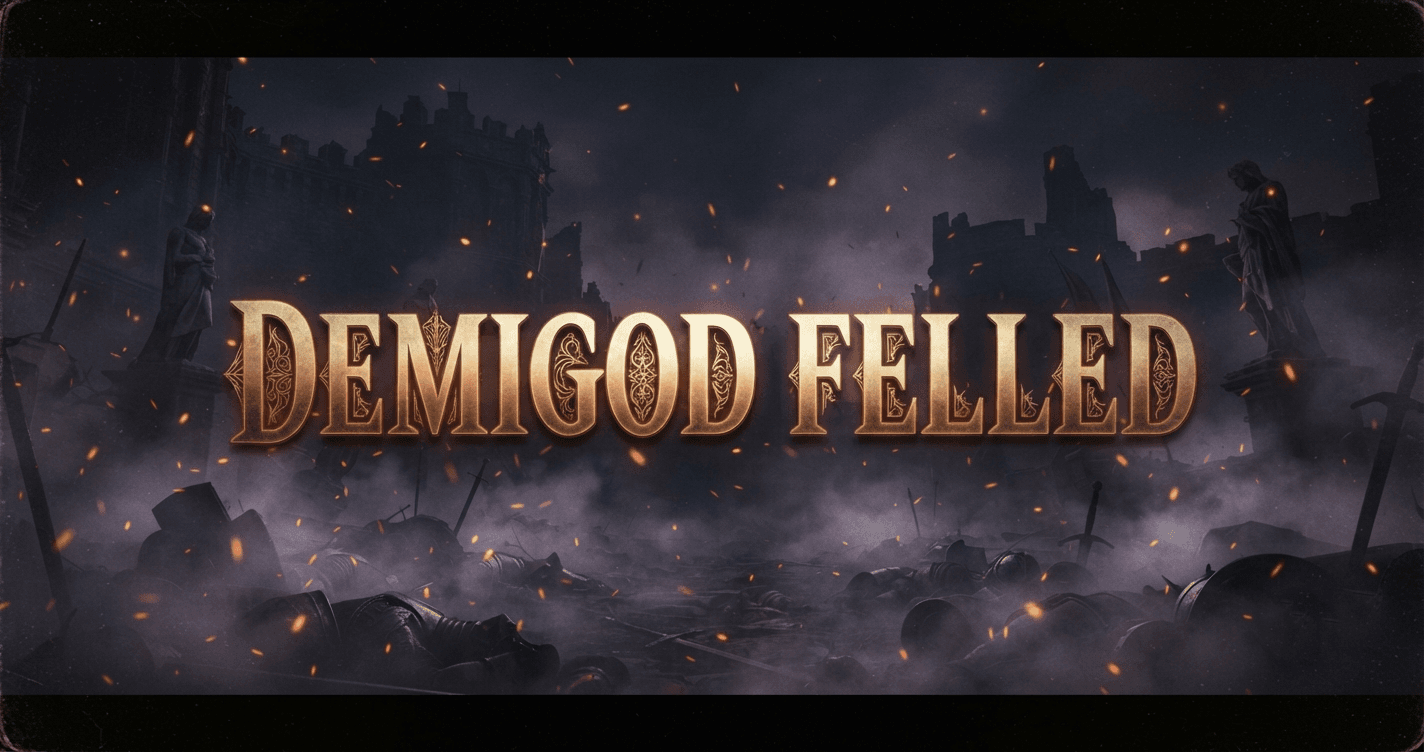
| DEMIGOD FELLED | Main story demigod bosses (Godrick, Rykard, Morgott, etc.) | The genuine “I finally did it” flex post |
| LEGEND FELLED | Optional legendary bosses (Fallingstar Beast, Ancient Dragons) | Niche-boss bragging rights in a raid Discord |
| YOU DIED | Player death | The self-deprecating “died to the tutorial boss” post |
| Site of Grace lit (community calls it “Bonfire Lit” as a Dark Souls-series homage) | Discovering a checkpoint | Progress-milestone posts, not really a defeat banner but a fan-favorite crossover joke |
Note on that last one: Elden Ring’s actual in-game term is “Site of Grace,” not “Bonfire” — that’s Dark Souls-specific terminology. Fans use “Bonfire Lit” anyway as a deliberate cross-game reference, and it reads as an inside joke to anyone who’s played both, not a mistake. Use it knowingly, not by accident.
Discord-Specific Export Specs
This is the part most meme guides skip entirely, and it’s the actual reason your banner looks wrong once it’s posted:
- Aspect ratio: 1.91:1 for link-preview embeds — a banner built at 16:9 or square gets cropped on the sides when Discord auto-generates a preview
- Direct image upload bypasses the crop — if you’re pasting the file itself rather than a link, any aspect ratio displays fully, so square or 16:9 is fine for direct uploads only
- PNG, not JPG — JPG’s lossy compression introduces visible banding on gradient backgrounds (exactly the kind of dark, atmospheric gradient these banners typically use); PNG keeps the gradient clean
- 8 MB file size limit on servers without Nitro boost — a boosted server (Level 2+) raises this to 50 MB, so check your server’s boost tier before exporting at max resolution
- Keep text at minimum 48px height in your source file — Discord’s embed preview scales images down for mobile viewers, and thin serif or Gothic-style lettering below that threshold turns illegible at phone screen size
Step-by-Step: Building the Banner
- Pick your banner text from the table above, matched correctly to the boss tier
- Choose a background — an atmospheric screenshot from the actual boss arena reads as more authentic than a generic dark texture; a plain black background works but loses the “this happened in my playthrough” feel
- Set canvas to 1.91:1 if this is going anywhere as a link preview, or match your target platform’s native ratio for direct uploads
- Add the text using the actual in-game gold Cinzel styling, not a generic bold font — this is the single biggest tell between an authentic-looking banner and an obvious meme-template one
- Export as PNG at full resolution, then verify text is still readable at Discord’s compressed thumbnail size before posting
Common Mistakes
- Mismatching banner text to boss tier. Putting “DEMIGOD FELLED” on a field boss reads as either a mistake or as trying too hard — Souls-fan Discords notice this instantly.
- Using a square image for a link-preview embed. Discord’s 1.91:1 crop cuts the top and bottom off a square banner, often removing the text entirely.
- Exporting as JPG. Compression artifacts on dark gradient backgrounds are immediately visible once Discord’s own compression is layered on top of it.
- Generic bold font instead of the actual in-game typeface. Undermines the whole “authentic death screen” effect a well-made banner is going for.
Building These Without a Design Tool
Recreating this manually means sourcing a game screenshot, finding or faking the correct gold gradient typeface, adding a glow effect, and exporting at the right aspect ratio — four separate steps before you’ve even checked if it displays correctly on Discord. The Elden Ring Health Bar Generator has all three banner styles above built in with the correct gold Cinzel typeface already applied, nine atmospheric background presets pulled from actual boss arenas, and PNG export with no watermark — built specifically so the aspect-ratio and typeface mistakes above aren’t something you have to think about.
If you want matching text elsewhere in the same post — a title, a caption, a clan name using the same gold styling — the Elden Ring Font Generator uses the identical gradient system as the banner tool, so everything in your post matches visually instead of mixing two slightly different “gold text” styles.
Making the Dark Souls version instead? This guide is Elden Ring-specific — banner names, boss tiers, and the Site of Grace note above don’t apply 1:1 to Dark Souls. For the original “YOU DIED” meme format and Dark Souls-specific banner conventions, see How to Make a YOU DIED Meme That Goes Viral — zero overlap with what’s covered here.
Frequently Asked Questions
What’s the ideal image size for a Discord meme banner? Build at 1.91:1 for link-preview embeds (the ratio Discord auto-crops to), or match your target platform’s native ratio if you’re uploading the file directly instead of posting a link.
Is “BONFIRE LIT” actually accurate to Elden Ring? No — Elden Ring’s real term is “Site of Grace.” “Bonfire Lit” is a deliberate fan homage to the earlier Dark Souls games, not a lore mistake. Use it as an inside joke for audiences who’ll recognize the reference.
Can I use these banners for YouTube thumbnails instead of Discord? Yes — export at 16:9 instead of 1.91:1 for YouTube’s native thumbnail ratio, keeping the same typeface and background approach.
Do I need Photoshop to make these? No. A browser-based generator with the correct typeface and gradient system built in gets you the same result without manual font sourcing or gradient tuning.
Why does my exported banner look different once posted to Discord? Usually one of two causes: JPG compression introducing banding on the gradient background, or the image being cropped because it wasn’t built at Discord’s 1.91:1 preview ratio.
Key Takeaway Checklist
| Check | Correct Answer |
|---|---|
| Banner text matches boss tier | GREAT ENEMY FELLED (field boss), DEMIGOD FELLED (main story), LEGEND FELLED (optional legend) |
| Aspect ratio for link previews | 1.91:1 |
| Aspect ratio for direct uploads | Any — no auto-crop applied |
| File format | PNG, never JPG |
| File size limit (no boost) | 8 MB |
| File size limit (Level 2+ boost) | 50 MB |
| Minimum text height in source file | 48px, to survive mobile embed scaling |
Written by Sharjeel — Lead Developer & Founder of Ghostern, software engineer and Elden Ring player who built the Health Bar Generator after manually testing every banner style against real Discord embed behavior. Read my full story →
Disclaimer: Elden Ring, its boss names, and in-game text are the property of FromSoftware and Bandai Namco. Ghostern is not affiliated with or endorsed by either company. Discord’s file size limits and crop ratios reflect current platform behavior at time of writing and may change with future Discord updates.
![A high-contrast video thumbnail for a 'Clan Tag Generator' tool, set against a futuristic, dark tech background. The text '[YOUR TAG HERE]' is prominently displayed in a sleek, glowing blue box, with a large orange arrow pointing to a box on the right listing example tags like '[GRUNT]', '[SNIPE]', and '[VIP]'. A small 'FREE!' badge is in the top-left corner, and a button below the examples reads 'INSTANT GENERATION'.](https://ghostern.com/wp-content/uploads/2026/07/Clan-Tag-Generator-Create-Unique-Tags-Instantly-768x429.png)