How to Make a ‘You Died’ Meme That Actually Goes Viral –
Step‑by‑step guide to creating viral Dark Souls death screen memes. Use our free You Died text generator, add boss health bars, and share everywhere.
How to Make a ‘You Died’ Meme That Actually Goes Viral
The death screen that united a generation of gamers – now it’s your turn to create the next cursed masterpiece.
If you’ve spent more than five minutes in a Discord server or on gaming TikTok, you’ve seen a You Died meme. It’s the universal language of failure, perseverance, and dark humour that FromSoftware perfected – and now you can weaponise it for likes, retweets, and server clout. We’ve built the exact tool you need to create your own Dark Souls text generator masterpiece, and in this guide we’ll show you how to make a meme that actually gets shared.
Why the ‘You Died’ Meme Still Rules
There’s a reason this one phrase has outlived every individual game release. The You Died screen isn’t just a punishment – it’s a shared experience. Every single player who’s touched Dark Souls, Elden Ring, Bloodborne, or even Sekiro knows that exact moment of shock when the screen fades to black and those cursed words appear. When you turn that into a meme, you’re not just making a joke – you’re tapping into millions of hours of collective pain. That’s why a well‑crafted death screen meme flies across Reddit, gets pinned in Discord channels, and makes TikTok viewers feel instantly in on the joke. It’s relatable, dramatic, and effortlessly visual. You don’t need to explain why it’s funny – the blood‑red text does all the work.
What Makes a Viral You Died Meme
Timing
The best memes drop right after a huge gaming fail, a new patch, or a funny moment in a stream. Jump on trends fast – the tool is instant.
Personalisation
Generic “YOU DIED” is good. “YOU DIED TO A CRAB” with a screenshot of Elden Ring’s giant crab? That’s legendary. Add custom subtitles that your specific community will recognise.
Layered Visuals
Don’t just slap text on a black background. Use a real in‑game screenshot, toggle on the boss health bar or souls counter, and crank the glow for that authentic FromSoft HUD feel.
Step 1 – Forge Your Text
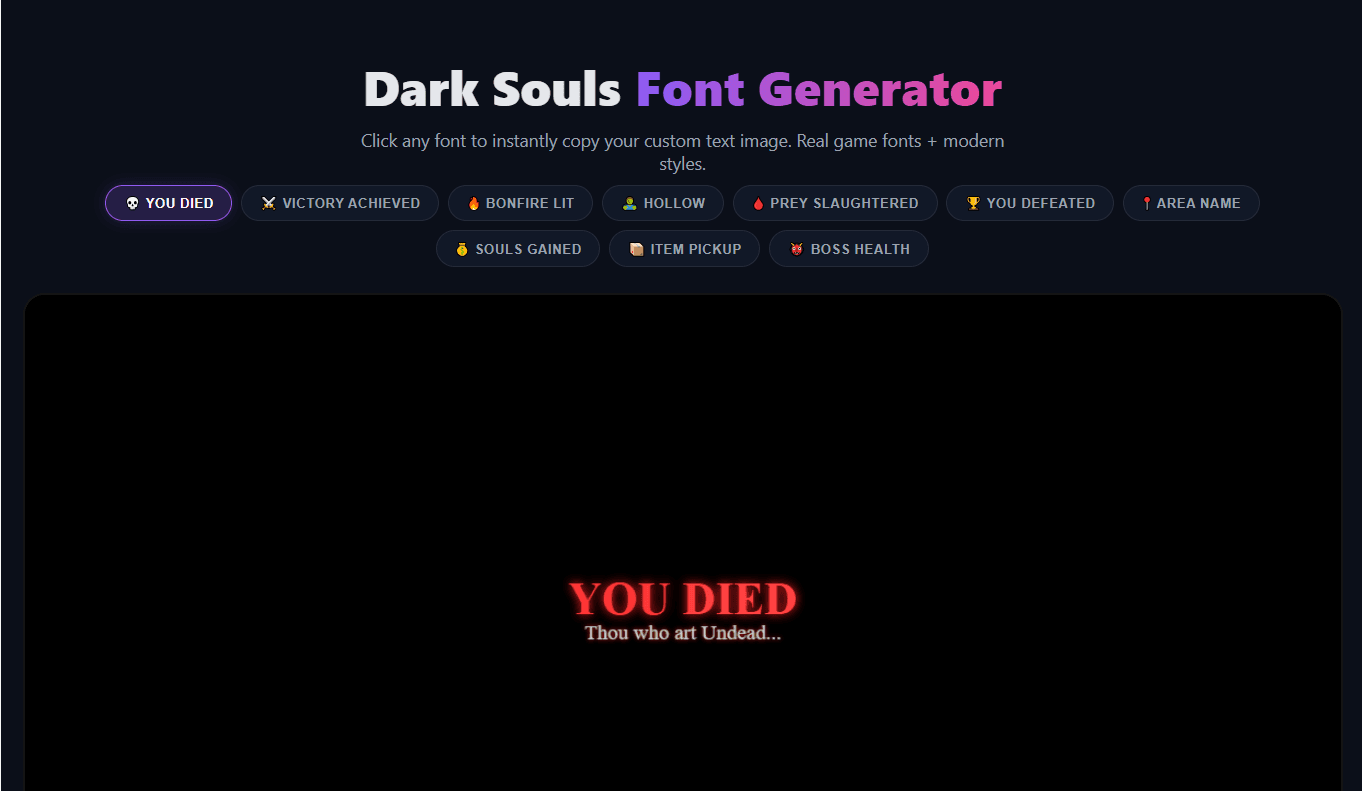
Head over to our Dark Souls Font Generator. You’ll see a live canvas and a row of preset buttons. The classic “YOU DIED” preset is already loaded, but don’t stop there. Change the main text to something specific:
- “YOU DIED TO FALL DAMAGE” – for platforming fails
- “YOU DIED TO A SLIME” – for embarrassing moments
- “YOU DIED (AGAIN)” – for the 47th attempt
Use the subtitle field for extra flavour. Something like “Thou thought this was the run” adds the exact deadpan tone that makes Dark Souls memes land. Experiment with font sizes and the glow slider – high glow with blood‑red colour is the classic look, but ember‑gold or frost‑blue can fit specific themes perfectly.
Step 2 – Pick the Perfect Background
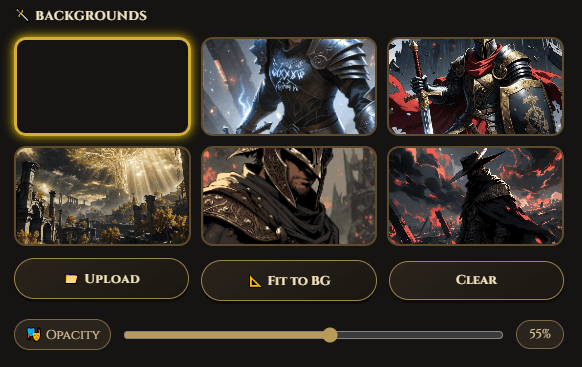
The tool comes with several dark fantasy backgrounds, but the most viral approach is to upload your own screenshot. Take a capture of the exact moment you died (or the moment your friend died, if you’re making a meme about them). Upload it, adjust the background opacity so the text pops, and you’ve got something nobody else can replicate.
Step 3 – Add the Game‑UI Overlays
This is where your meme graduates from “low effort” to “main character energy”. Toggle on the Boss Health Bar – it adds a large enemy HP bar at the bottom, complete with a damage number. Rename the boss to something funny (e.g., “Gravity”, “My Own Hubris”, “The Stairs”). Turn on the Souls Counter for that extra HUD detail, and enable CRT Scanlines if you want a retro, old‑school gaming vibe. These small touches signal that you actually put effort in – and effort gets shares.
Step 4 – Export and Share
Once your meme looks cursed enough, hit Download PNG or use the Copy Image button to paste it directly into Discord. The image renders at 1200×600 – sharp enough for Twitter, Reddit, and even a YouTube thumbnail. Now the real magic begins: distribution.
Where to Post for Maximum Reach
r/darksoulsmemes, r/shittydarksouls, r/Eldenring, r/gaming – each has millions of users who live for death‑screen content. Post with a clever title like “This boss really thought” or “Died so hard I had to make a meme”.
Discord
Share in your server’s meme channel. Even better – customise your server nickname with our Discord Symbol Generator to match the Dark Souls theme. Imagine your name as ⛧ 𝙉𝙀𝙈𝙀𝙎𝙄𝙎 ⛧ while you drop a fresh death screen – instant lore.
TikTok & Shorts
Use your exported PNG as a reaction image in a slideshow or stitch it over a fail clip. The “You Died” frame is instantly recognisable and always triggers a laugh.
Pro Moves – Combine Ghostern Tools
The most unforgettable memes don’t stop at one tool. Use our Clan Tag Generator to create a matching tag for your gaming squad. Add your finished meme as a profile banner on Discord and set an that matches the dark fantasy vibe. For variety, mix in text from the Elden Ring Font Generator – “GREAT ENEMY FELLED” hits just as hard. The entire Ghostern toolkit is designed to build a complete digital identity, not just a one‑off image.
One Final Tip – Let the Community Remix
The most viral memes become templates. When you post your creation, encourage others to use the same tool and share their own versions. A single “YOU DIED TO…” thread can generate hundreds of replies and keep your original post trending for days. The best part? Every remix brings someone new to the Dark Souls font generator, spreading the love.
Ready to create your own legendary death screen? Jump into the Dark Souls Text Generator right now – it’s free, browser‑based, and doesn’t require a single download. Your viral moment is four keystrokes away.
Written by the Ghostern Team – gamers, developers, and certified You Died enjoyers. Every guide is based on our own meme‑making experiments and community feedback. Not affiliated with FromSoftware or Bandai Namco. All game trademarks belong to their respective owners.
About Ghostern | Privacy | Terms | Last updated: May 2026