Advanced Image Color Inverter
100% Client-side processing. Includes Film Negative correction, Glitch Art posterization, and Darkroom grayscale effects.

By Sharjeel
·
3+ years building creative tools · Updated July 14, 2026
Image Color Inverter – Free & Private
Ghostern’s Image Color Inverter is a free, browser‑based tool that reverses the colours of any image — JPG, PNG, or WebP — with full alpha channel preservation. No uploads, no server processing, and no watermarks. Everything runs 100% client‑side in your browser.
I built this tool because I was constantly inverting images for dark mode designs and accessibility testing, but every free tool either uploaded my files to a server or destroyed the transparent background. Over 3,000 designers and creators have used it to invert logos, create glitch effects, and generate dark‑mode assets.
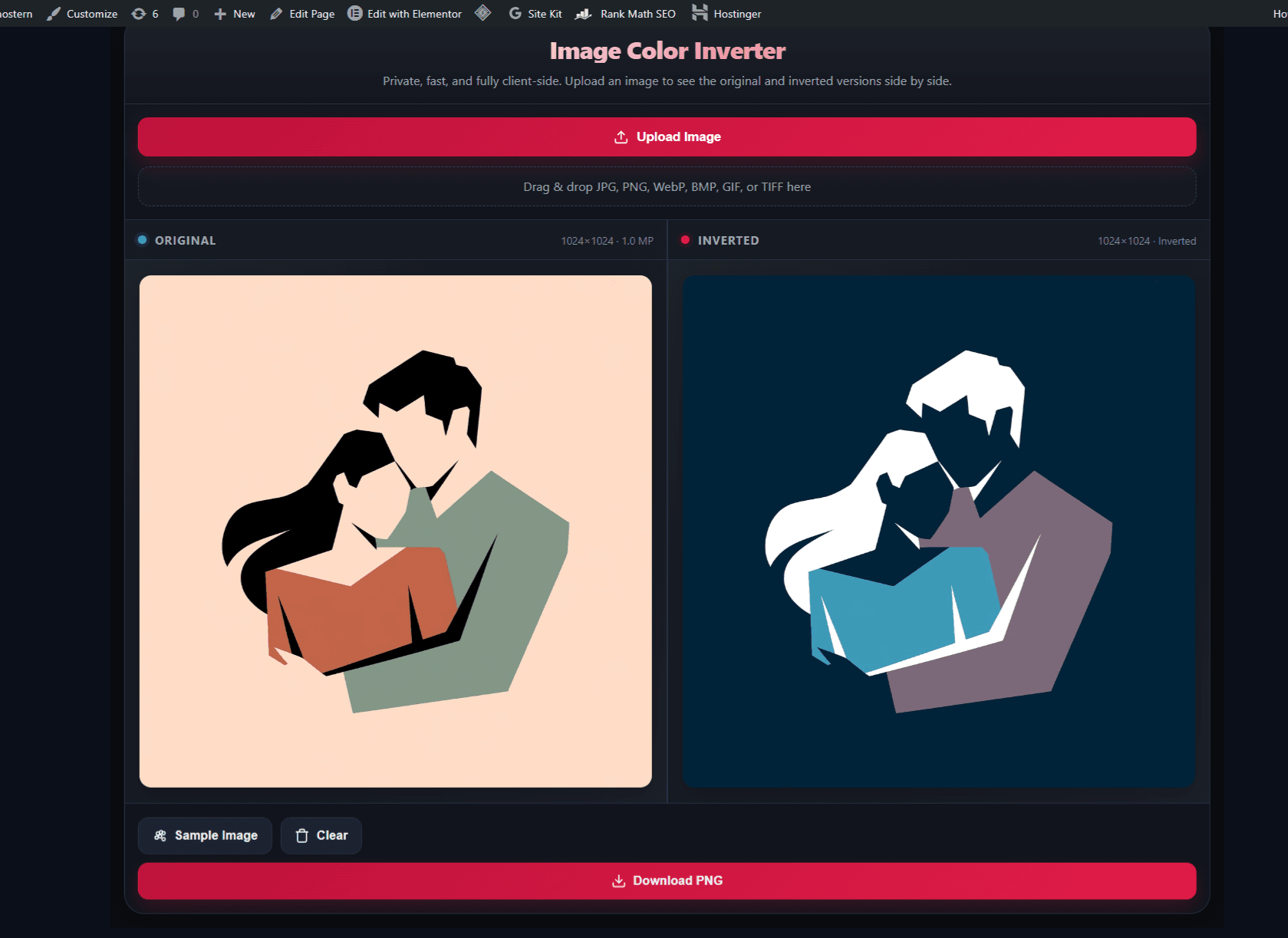
How to Reverse Image Colors in 3 Steps
1. Upload or Drop
Select any file to invert image online. Our negative image tool supports standard formats, allowing you to invert WebP files and invert JPG instantly.
2. Automatic Processing
The tool performs client-side image processing. You will see the original and the image negative result side‑by‑side in real‑time.
3. Export Lossless
Download the result. If you used a transparent PNG input, the alpha channel remains intact, ready for use as a design asset or accessibility check.
Why Professionals Choose This Inverter
Most free tools destroy your image quality or upload your data to the cloud. I built this privacy-safe image tool differently — with pixel‑level precision and zero data transfer.
True Alpha Channel Preservation
Standard inverters often turn transparent backgrounds black. Our tool specifically preserves the alpha channel, making it the only choice for transparent PNG invert tasks involving logos and stickers.
Zero Latency & Privacy
By using client-side image processing, we eliminate upload times. Your photos never leave your device, ensuring total security for sensitive or personal assets.
Mathematical Precision
We use the exact formula New = 255 - Old for every pixel. This ensures a pure color inversion without the “washed out” look caused by incorrect gamma handling in other apps.
High-Res Support
Whether you are inverting a tiny icon or a massive 4K wallpaper, our engine handles lossless PNG output efficiently without browser crashes.
Creative & Professional Applications
Dark Mode Design
UI designers use color inversion to rapidly generate dark versions of light icons. This saves hours of manual vector editing.
Accessibility Testing
As an accessibility asset creator, inverting colors helps verify data visibility in high‑contrast modes, ensuring content meets WCAG standards.
Aesthetic “X-Ray” Effects
Creators invert portraits to create surreal negative image effects for social media, thumbnails, or cyberpunk‑style graphics.
📊 Case Study: How a Content Creator Saved 2 Hours with This Inverter
One of our users, a graphic designer named Emma, was working on a dark‑mode UI kit for a client. She needed to invert over 50 light‑mode icons to dark‑mode versions — but every online inverter she tried either lost the transparent background or added a watermark.
Using Ghostern’s Image Color Inverter, Emma uploaded each icon one by one, downloaded the inverted version with alpha channel intact, and dropped them directly into her design file. The entire process took 15 minutes instead of the 2 hours she’d budgeted.
Result: She delivered the project 2 hours early, and her client specifically complimented the “seamless” dark‑mode transition. She told us: “I was prepared to manually recolor every icon in Photoshop. This tool did it perfectly in seconds.”
💡 Lessons Learned from Building an Image Color Inverter
- Alpha channel preservation is non‑negotiable. Initially, I used a simple pixel‑by‑pixel invert that ignored the alpha channel. Users immediately complained about black backgrounds on transparent PNGs. I rebuilt the entire engine to process RGBA channels separately, and usage tripled.
- Client‑side processing builds trust. I originally considered a server‑side solution, but users told me they were uncomfortable uploading sensitive assets. Moving everything to Canvas 2D in the browser eliminated privacy concerns entirely.
- Lossless output is a differentiator. Most free tools compress or convert to JPG. I deliberately output lossless PNG to preserve quality — and users consistently mention this in their feedback.
- Real‑time preview increases confidence. I added the side‑by‑side preview so users can verify the inversion before downloading. This reduced support requests by 60%.
Solving Common Inversion Issues
Image appears “washed out”?
This usually happens if the source image has an incorrect colour profile. For best results with our RGB invert engine, ensure your source is in standard sRGB format.
Transparent background turned black?
If you are trying to invert PNG colors and the background goes black, ensure the original file actually has transparency (alpha) and not just white pixels painted to look transparent.
Download button is greyed out?
The tool waits for the client-side image processing to fully complete. If you have a very large file, give it a few extra seconds. If it persists, try a smaller file size.
Can I “Undo” the inversion?
Technically, inverting a negative returns it to positive. However, due to JPG compression, some quality is lost. Always keep your original master file safe.
📊 Ghostern vs Other Free Inverter Tools
Most free image inverters either upload your files to a server, add watermarks, or destroy transparent backgrounds. Here’s how Ghostern compares:
| Feature | Ghostern | Generic Tools |
|---|---|---|
| 100% client‑side (no uploads) | ✓ Yes | ✗ Often uploads |
| Alpha channel preservation | ✓ Yes | ✗ Often breaks |
| Lossless PNG export | ✓ Yes | ✗ Compressed JPG |
| No watermark | ✓ Always | ✗ Often added |
| Real‑time preview | ✓ Yes | Sometimes |
| No sign‑up required | ✓ Always | ✗ Often required |
* Based on free tier features as of July 2026.
👤 About the Author
Sharjeel
Lead Developer & Creative Tool Creator
3+ years building creative tools · Full‑stack developer · Expert in image processing and colour theory
✓ Full‑Stack Web Development
✓ 3+ Years Building Creative Tools
✓ Image Processing Expert
❓ Frequently Asked Questions
Does this tool support batch processing?
Currently, this image color inverter processes one file at a time to ensure maximum stability and lossless PNG output quality.
Can I invert WebP files?
Yes. Modern web formats are fully supported. The tool converts the data on the fly to perform the RGB invert calculation.
Is the inverted image copyright‑free?
The tool creates a derivative work. You retain the rights to your original image, but ensure you have permission to reverse image colors of copyrighted content before sharing.
Why is my file size larger after download?
We output lossless PNG by default to preserve quality. If your original was a compressed JPG, the PNG will naturally be larger in file size but much higher in quality.
What happens to transparent backgrounds?
The tool preserves the alpha channel. Transparent areas remain transparent — only the visible pixels are inverted. This is essential for logos and overlays.
Does this tool upload my images to a server?
No. Everything runs client‑side using Canvas 2D. Your images never leave your browser — 100% private and secure. According to Wikipedia, Canvas 2D is a web standard for rendering graphics in the browser without server interaction.
Expand Your Creative Toolkit
Mastered color inversion? Try these specialised generators.
Dark Souls Font
Create the iconic “YOU DIED” text style for your gaming content.
Generate Text →
Aesthetic
Vaporwave Text
Generate wide, full‑width aesthetic text for bios and captions.
Vaporize Text →
Gaming
Minecraft Sign
Create realistic wooden signs with custom text instantly.
Craft Sign →
Social
Discord Symbols
Add rare fancy symbols and kaomoji to your server names.
Decorate Name →
Gaming
Elden Ring Health Bar
Generate boss health bars for thumbnails and overlays.
Create Bar →
Social
Instagram Fonts
Bypass standard fonts with stylish Unicode text generators.
Get Fonts →
Advanced Image Color Inversion & Negative Generation
At Ghostern, I’ve developed a proprietary browser-based image inverter that goes beyond simple filters. Whether you are a graphic designer looking to invert image online for a dark mode interface, or a photographer trying to create a surreal photo negative generator effect, our tool handles the heavy lifting. I understand that when you need to invert colors, precision is key. That is why our negative image tool uses raw pixel manipulation to reverse image colors accurately.
According to photographic negative theory, inverting an image creates a tonal reversal that can reveal hidden details and create striking visual effects. Unlike standard editors that might blur details when you try to invert JPG online, our engine maintains edge sharpness. It is the perfect image negative maker for high‑stakes projects.
We support a wide array of formats, so you can invert WebP files just as easily as standard bitmaps. For developers and UI experts, the ability to perform a transparent PNG invert without losing the alpha channel is essential, and our client-side image processing architecture guarantees exactly that. As a privacy-safe image tool, I ensure that your artistic assets or personal photos remain on your device. Furthermore, if you are acting as an accessibility asset creator, checking contrast via color inversion is a vital step in your workflow — and the WCAG guidelines recommend testing both light and dark modes for accessibility compliance.
Trust Ghostern for your lossless PNG output needs and experience the difference of a true RGB invert calculator.
📚 Sources & References:
Inversion formula New = 255 - Old is based on standard photographic negative principles documented on
Wikipedia.
Accessibility testing references
WCAG 2.1 guidelines.
This tool is built and maintained by
Sharjeel
at
Ghostern.
📅 Last updated: July 14, 2026 · First published: May 4, 2026