Live wallpapers battery performance guide for gamers. Learn the truth about animated wallpapers, battery drain, and performance impacts on your devices.
By sharjeel | 2025-11-21
Table of Contents
- The Nightwatch Patroler
- Understanding Live Wallpapers
- The Battery Drain Reality
- Performance Impacts on Gaming
- Wallpaper Formats Compared
- Setting Up Live Wallpapers Safely
- Recommended Formats by OS
- Compression Tips for Better Performance
- Technical Specifications
- Frequently Asked Questions
The Nightwatch Patroler
In the realm between sleep and wakefulness, there exists a silent guardian—the Nightwatch patroler who keeps watch while your device sleeps. This digital sentinel stands vigilant, animating your screen with mesmerizing visuals even when you’re not actively using your device. But like any guardian, this patroler demands resources, drawing power from your battery and processing capability from your hardware. For gamers who need every ounce of performance and battery life, understanding this tradeoff is essential. Live wallpapers battery performance isn’t just a technical concern—it’s about balancing visual appeal with the practical demands of gaming on the go.
TL;DR
Learn how live wallpapers impact battery life and gaming performance, with practical tips for choosing the right format and optimizing settings for your device.
Understanding Live Wallpapers
Live wallpapers transform your static background into a dynamic, animated experience. Unlike traditional static images, these wallpapers contain movement—subtle or dramatic—that brings your device to life. For gamers, this can mean anything from gently swirling mists to fully animated scenes from their favorite games.
The technology behind live wallpapers varies by platform:
- Android typically uses video files or specialized apps that render animations
- iOS relies primarily on Live Photos and limited video wallpaper support
- Windows supports video wallpapers through specialized software or built-in features
- macOS offers native support for dynamic wallpapers that change based on time of day
While visually appealing, these animations require continuous processing power and, in many cases, keep your device’s GPU partially active even when the screen is on but not in active use. This constant activity is at the heart of the battery and performance concerns many gamers have.
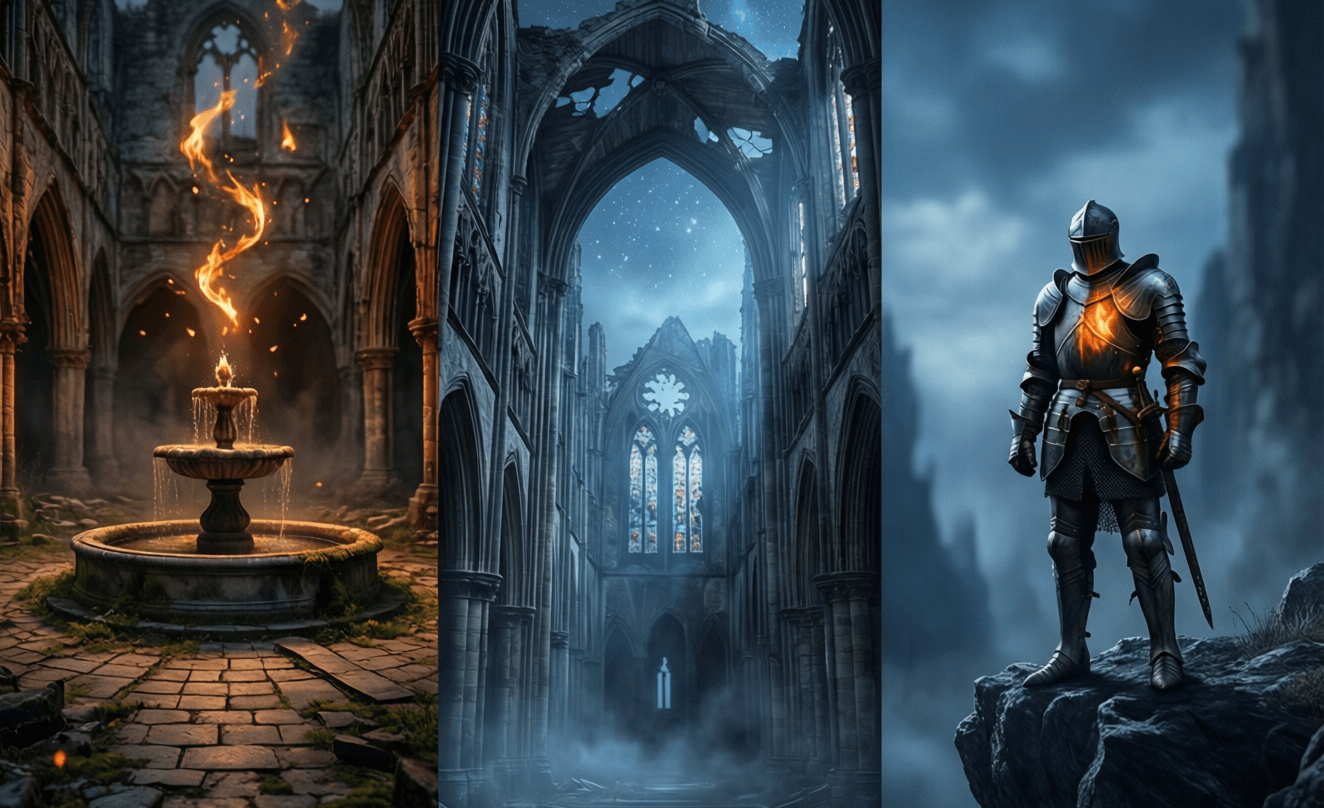
 — Caption: Live wallpapers like this Dark Souls animation create visual impact but require careful optimization to minimize battery drain.
The Battery Drain Reality
Let’s address the elephant in the room: yes, live wallpapers do consume more battery than static images. However, the extent of this impact varies dramatically based on several factors:
Animation complexity is perhaps the most significant factor. A wallpaper with subtle, slow-moving elements will consume far less power than one with rapid, complex animations. The difference can be as much as 2-3% additional battery drain per hour for simple animations versus 8-10% or more for complex ones.
Screen technology also plays a crucial role. OLED displays, which power most modern smartphones, consume less power when displaying dark pixels. This means dark-themed live wallpapers with limited bright areas will have significantly less impact on battery life than bright, colorful ones.
Optimization level varies between wallpaper implementations. Well-designed live wallpapers use efficient rendering techniques and may even pause animation when the device is inactive or in your pocket. Poorly optimized ones, however, might run continuously regardless of context.
For gamers who need their devices to last through extended play sessions, even a few percentage points of battery savings can be crucial. This is why understanding the real impact of live wallpapers on battery performance is so important.
Performance Impacts on Gaming
When it comes to gaming, every bit of processing power counts. Live wallpapers can impact gaming performance in several ways:
Background processing is the primary concern. Even when a game is running full-screen, some live wallpapers continue to consume system resources in the background. This can lead to:
- Reduced frame rates
- Longer loading times
- Increased device temperature
- Potential stuttering during gameplay
Memory usage is another factor. Live wallpapers require RAM to function, reducing the amount available for your games. On devices with limited memory, this can force the system to close background apps more aggressively or even impact game performance.
GPU utilization varies by wallpaper type. Some live wallpapers make significant demands on the graphics processor, competing directly with games for GPU resources. This is particularly noticeable on mobile devices with integrated graphics.
For competitive gamers where every frame matters, the performance impact of live wallpapers might be a dealbreaker. However, for casual gaming or on powerful devices with resources to spare, the impact may be negligible.
Wallpaper Formats Compared
GIF Wallpapers
GIFs are one of the oldest formats for animated images and remain popular for simple live wallpapers. They offer wide compatibility and relatively small file sizes, but come with significant limitations:
Advantages:
- Universal support across almost all devices
- Small file sizes compared to video formats
- Simple implementation for wallpaper apps
Disadvantages:
- Limited color palette (256 colors maximum)
- No alpha channel support for transparency
- Can appear choppy due to frame rate limitations
- No sound support
- Inefficient compression for complex animations
For gamers, GIF wallpapers are best suited for simple, subtle animations where color accuracy isn’t critical. They’re generally less demanding on system resources than video wallpapers but offer limited visual quality.
Video Wallpapers
Video wallpapers use actual video files (typically MP4, MOV, or WMV) to create smooth, high-quality animations. This format offers the best visual quality but comes with higher resource demands:
Advantages:
- Full color support with millions of colors
- Smooth animations at high frame rates
- Support for complex visual effects
- Can include sound (though typically disabled for wallpapers)
- High compression efficiency with modern codecs
Disadvantages:
- Higher resource usage (CPU, GPU, battery)
- Larger file sizes
- Variable support across devices and platforms
- May require specialized software to implement
For gamers who prioritize visual quality and have powerful devices, video wallpapers offer the best experience. However, they should be used cautiously on lower-end hardware or when battery life is a concern.
Live Photo Wallpapers
Live Photos (Apple’s term) or similar motion photo formats offer a middle ground between static images and full video wallpapers. These formats capture a short period of motion around a still image:
Advantages:
- Lower resource usage than full video
- Smaller file sizes
- Optimized for mobile platforms
- Subtle, less distracting animations
- Often include interactive elements (press to animate)
Disadvantages:
- Limited animation duration (typically 1-3 seconds)
- Platform-specific (Live Photos are iOS-only)
- Less flexibility for complex animations
- Limited editing options
For gamers who want a touch of animation without significant performance impact, Live Photo wallpapers offer an excellent compromise. They provide visual interest while minimizing battery drain and resource usage.
 — Caption: Different wallpaper formats have varying impacts on battery performance, with video wallpapers typically consuming the most resources.
Setting Up Live Wallpapers Safely
To enjoy live wallpapers without compromising your gaming experience or battery life, follow these safe setup practices:
Choose the right app:
- For Android: Wallpaper Engine, KLWP, or manufacturer-specific options
- For iOS: Native Live Photos or specialized apps from the App Store
- For Windows: Wallpaper Engine, Lively Wallpaper, or built-in slideshow features
- For macOS: Built-in dynamic wallpapers or third-party options
Configure settings wisely:
- Enable battery optimization options when available
- Set wallpapers to pause when device is inactive or in pocket
- Reduce animation complexity or frame rate if possible
- Disable unnecessary effects like parallax or interactive elements
Monitor performance:
- Check battery usage stats to identify excessive drain
- Monitor RAM usage before and after installation
- Test gaming performance with and without the wallpaper active
- Be prepared to disable if issues arise
Consider timing:
- Use static wallpapers during extended gaming sessions
- Switch to live wallpapers when battery life isn’t a concern
- Have a low-performance backup wallpaper ready
By following these guidelines, you can enjoy the visual appeal of live wallpapers while minimizing their impact on gaming performance and battery life.
Recommended Formats by OS
Android
- Best for performance: Static images or very simple GIF animations
- Best for visuals: MP4 videos with H.265/HEVC compression
- Recommended apps: Wallpaper Engine (with performance settings), KLWP (for customizable but lightweight options)
- Native support: Limited, varies by manufacturer and Android version
iOS
- Best for performance: Static images
- Best for visuals: Live Photos (optimized for iOS)
- Recommended apps: Live Wallpaper Maker, intoLive
- Native support: Live Photos on lock screen, limited video wallpaper support on select models
Windows
- Best for performance: Static images or slideshows
- Best for visuals: MP4 videos with hardware acceleration
- Recommended apps: Wallpaper Engine, Lively Wallpaper
- Native support: Slideshows, limited video wallpaper support in Windows 11
macOS
- Best for performance: Static images
- Best for visuals: Dynamic wallpapers (time-based) or carefully optimized videos
- Recommended apps: Live Wallpaper, Wallpaper Wizard
- Native support: Dynamic wallpapers, limited video support
For gamers across all platforms, we recommend having both static and live versions of your favorite wallpapers. Use static versions during gaming sessions or when battery life is critical, and switch to live versions when visual impact is more important than performance.
Compression Tips for Better Performance
Proper compression can significantly reduce the performance impact of live wallpapers while maintaining visual quality:
For video wallpapers:
- Use H.265/HEVC encoding instead of H.264 for better compression efficiency
- Reduce frame rate to 15-24 fps instead of 30 fps for less critical animations
- Lower resolution to match your device’s screen (no need for 4K on a 1080p display)
- Use variable bitrate encoding to allocate more data to complex scenes
- Consider shorter loops (5-10 seconds) to reduce file size
For GIF wallpapers:
- Limit color palette to 64-128 colors when possible
- Reduce frame rate to 10-15 fps for smoother performance
- Use dithering to simulate colors beyond the GIF palette
- Crop to essential areas to reduce file size
- Consider using lossy GIF compression for smaller files
For Live Photos:
- Keep duration short (1-3 seconds)
- Use the “bounce” or loop effect for continuous animation
- Optimize the key frame for when the wallpaper is static
- Avoid complex motion that requires high bitrates
- Use the native iOS optimization tools when exporting
Remember that the goal is to find the sweet spot between visual quality and performance. A well-compressed wallpaper can look nearly as good as an uncompressed one while using a fraction of the resources.
Technical Specifications
| Setting | Recommendation |
|---|---|
| Video Format | MP4 with H.265/HEVC for best compression |
| Resolution | Match device native resolution |
| Frame Rate | 15-24 fps for optimal balance |
| Bitrate | 1-2 Mbps for HD, 3-5 Mbps for 4K |
| Color Depth | 24-bit (16.7 million colors) |
| Audio | Disabled or extremely low bitrate |
| Loop Duration | 5-10 seconds for optimal performance |
Frequently Asked Questions
Do live wallpapers significantly reduce battery life?
Live wallpapers do consume more battery than static images, but the impact varies. Simple animations might only reduce battery life by 2-3% per hour, while complex video wallpapers could consume 8-10% or more. Dark-themed wallpapers on OLED displays have less impact than bright ones.
Can live wallpapers affect gaming performance?
Yes, live wallpapers can impact gaming performance by consuming system resources in the background. This can lead to reduced frame rates, longer loading times, and increased device temperature. The impact is more noticeable on lower-end devices or during resource-intensive gaming sessions.
What’s the most battery-efficient live wallpaper format?
Static images are the most efficient, followed by simple GIF animations, Live Photos, and then video wallpapers. For the best balance of visual appeal and efficiency, consider Live Photos on iOS or carefully optimized GIF animations on other platforms.
How can I minimize the performance impact of live wallpapers?
To minimize impact, choose simpler animations, enable battery optimization settings, use dark themes on OLED displays, reduce frame rates and resolution, and consider switching to static wallpapers during gaming sessions or when battery life is critical.
Are there any devices where live wallpapers don’t impact performance?
High-end devices with powerful processors, ample RAM, and large batteries will show less impact from live wallpapers. However, even on these devices, some performance impact is inevitable, especially during demanding tasks like gaming.
Why This Matters
Understanding the relationship between live wallpapers and device performance isn’t just about technical knowledge—it’s about making informed choices that enhance your digital experience without compromising what matters most. For gamers, this means balancing visual customization with the performance needed for competitive play. For casual users, it’s about enjoying dynamic backgrounds without constantly worrying about battery life. By making smart choices about wallpaper formats and settings, you can have the best of both worlds: a visually appealing device that still performs when you need it most.
Ready to optimize your wallpaper experience? Check out our Dark Souls wallpaper phone collection for mobile-optimized options, or explore our Dark Souls wallpaper PC gallery for desktop alternatives that balance visual impact with performance.
For more technical insights on battery optimization, the Battery University guide on battery performance offers valuable information about maximizing battery life across all your devices.
About the Author
Sharjeel is a gaming enthusiast and tech writer with a passion for optimizing digital experiences. With years of experience testing and reviewing mobile gaming setups, they specialize in finding the perfect balance between visual customization and performance. Follow their latest tips and recommendations on Twitter @sharjeeltech.