
How to Use the Dark Souls Text Maker
Creating game‑ready typography is easier than parrying the tutorial boss. Follow these four steps to turn plain text into legendary lore.
01
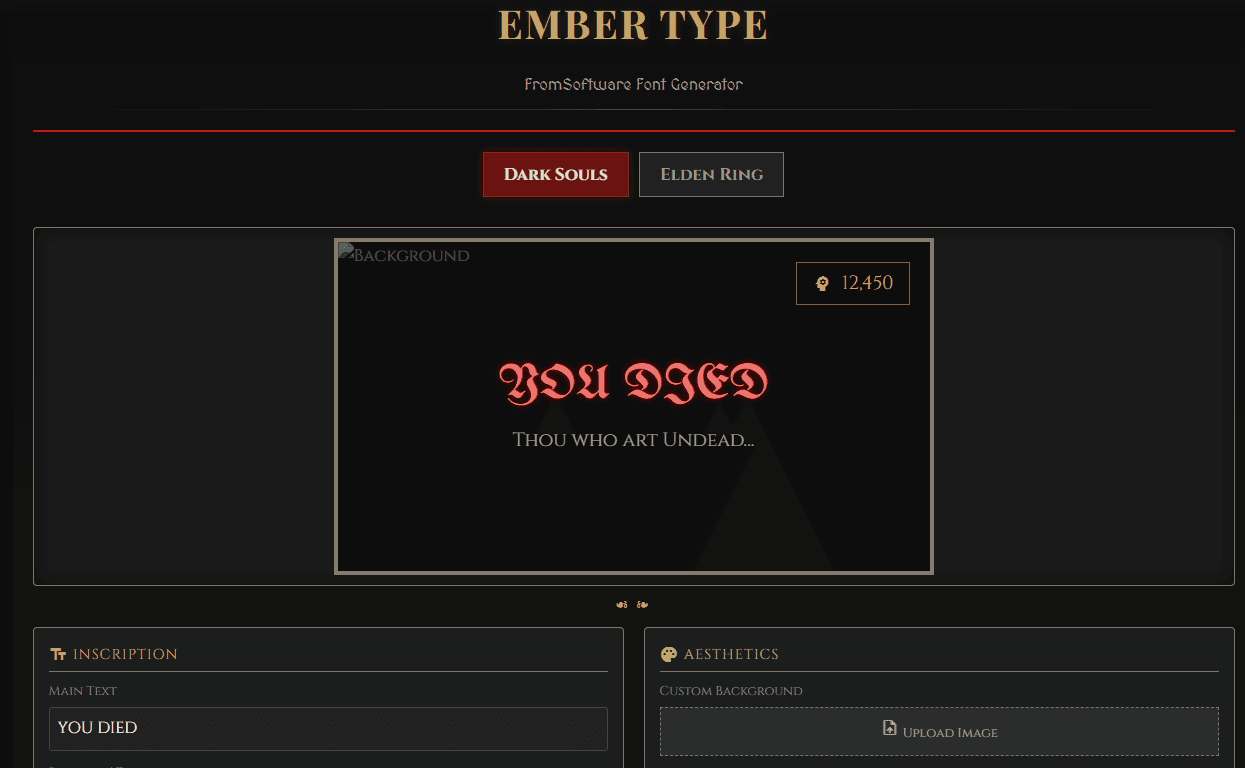
Enter Your Text
Type your main message – think “YOU DIED”, “VICTORY ACHIEVED”, or something custom like “Praise the Sun”. You can also add a subtitle for extra flavor.
02
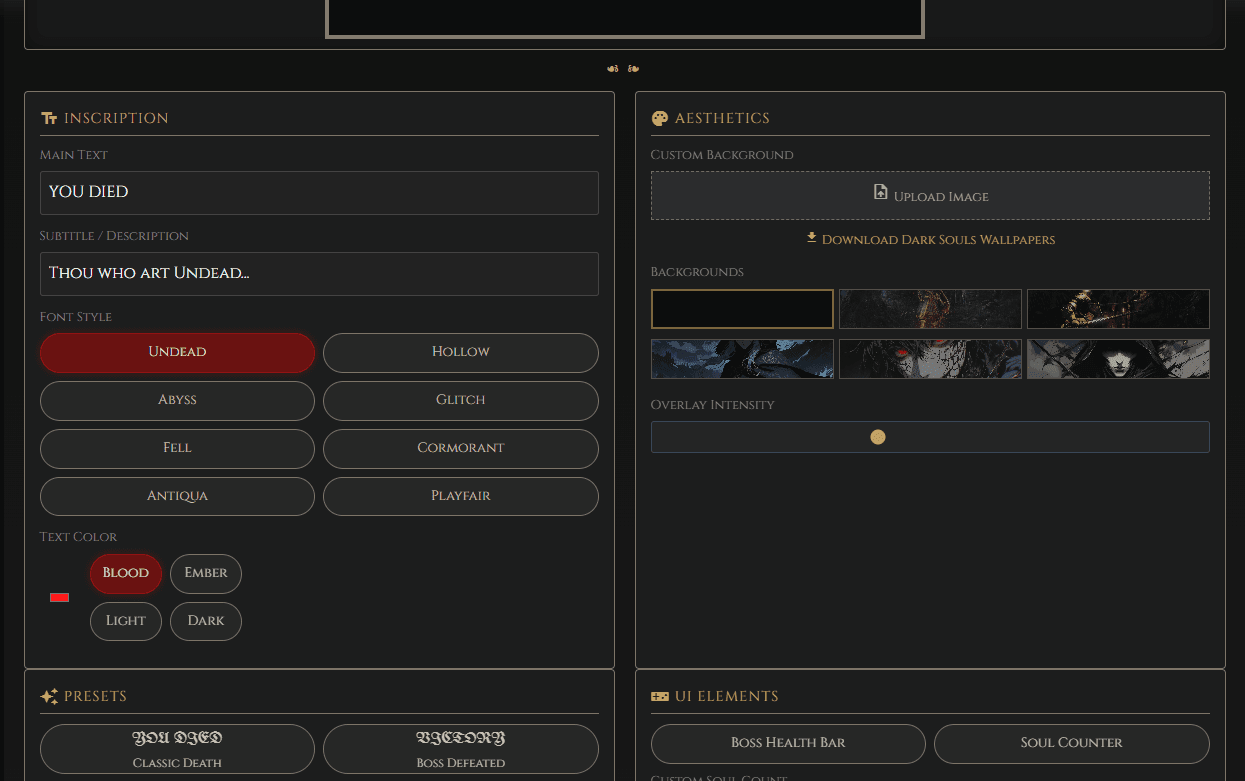
Select Your Style & Effects
Choose a font that matches your intended mood: the medieval “Hollow” look or the sharp “Abyss” serif. Then pick a color effect – Blood Red for death screens, Ember Gold for bonfires, or Ash Grey for a hollowed vibe.
03
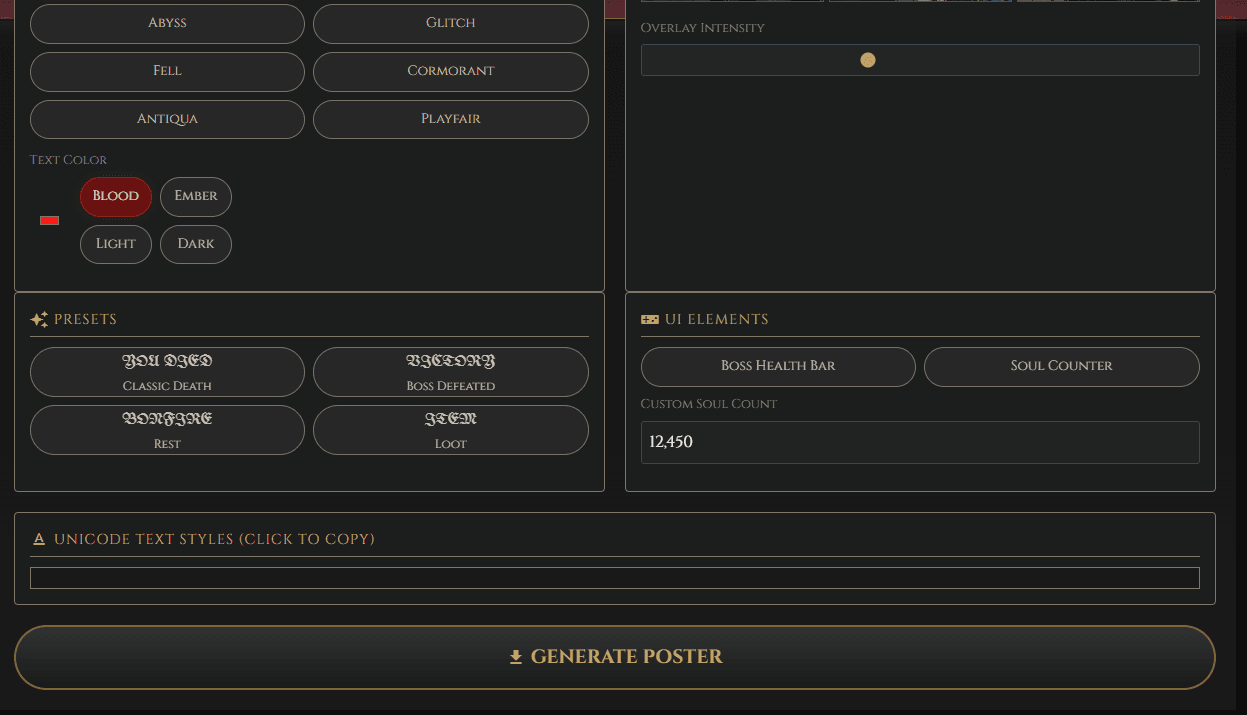
Pick Background & UI
Upload your own boss screenshot or choose from our hand‑picked presets. You can also toggle UI elements like a Souls Counter or Boss Health Bar for that authentic in‑game feel.
04
Generate & Download
Click “Download PNG” to create your image. The tool renders it at high resolution, giving you a crisp file ready to use in thumbnails, streams, or social media.
💡 Pro Tip: Want a 4K anime portrait with a Dark Souls theme? Try this prompt in your AI art tool: “Warrior standing before a massive gothic cathedral, ember particles in the air, dramatic lighting, Dark Souls art style”. Then use our generator to add text like “GRAVE WARDEN DEFEATED” with the blood effect for an authentic look.
The History of Dark Souls Typography
The distinctive typography in Dark Souls is based on Optimus Princeps, a serif font inspired by 15th‑century Italian inscriptions. This choice wasn’t an accident – FromSoftware deliberately selected a typeface that conveys “dread and authority” in every letter, perfectly matching the game’s atmosphere of ancient kingdoms and merciless combat.
What makes Optimus Princeps so perfect for the Dark Souls font online experience is its sharp, angular features. The letters feel heavy, as if they were carved into stone centuries ago. It’s not the clean, modern typography you see in most UIs; it’s deliberate, archaic, and dripping with historical weight. That’s why a simple message like “YOU DIED” feels like a judgment from history itself.
If you love this aesthetic, explore our Dark Souls wallpaper collection to see how the style extends beyond text.
Best Use Cases for FromSoft Text
Content Creation
The Dark Souls text generator isn’t just for memes – it’s a utility for creators:
- Twitch Overlays: Create custom alerts for when you die or beat a boss.
- YouTube Thumbnails: Add dramatic text to highlight game moments.
- Discord Servers: Design welcome messages that fans instantly recognize.
Gaming Communities
Streamers can use authentic fonts to announce boss defeats or create “You Died” compilation titles. It helps build a brand around the Soulsborne aesthetic.
Design Projects
Graphic designers can leverage these fonts for fan creations or custom UI designs. The generator supports both Dark Souls and Elden Ring font generator styles, making it versatile for all FromSoftware fans. For broader design inspiration, check out our cool wallpapers collection.
Design Tips & Best Practices
Composition
Center‑align your text for that authentic game UI look. Leave adequate margin around the text so it breathes. Consider the rule of thirds when placing text over boss backgrounds.
Color Palettes
Stick to the game’s signature colors:
- Blood Red:
#8a0303– perfect for death screens. - Ember Gold:
#c5a059– bonfires and victory. - Deep Black:
#050505– backgrounds and mood.
For more palette ideas, Pantone is an excellent resource for trending hues that complement dark aesthetics.
Aspect Ratios & Zones
- 16:9 (1920×1080): Standard for YouTube thumbnails and desktop wallpapers.
- 9:16 (1080×1920): Best for TikTok, Instagram Stories, or mobile wallpapers.
- Device‑Safe Zones: Keep text in the center 60% of the image so it isn’t covered by phone notches or UI overlays.
📝 Export Settings
Always download as PNG to preserve transparency. Export at 3x scale for crisp text on 4K displays. Use the “Save at Highest Quality” option.
Limitations & Compatibility
While our FromSoftware text generator is powerful, keep these points in mind:
- Platform Limits: Some social sites compress images or limit Unicode visibility. Mobile browsers may render gothic fonts slightly differently.
- Accessibility: Gothic fonts can be hard to read. Always provide alt text when sharing.
- Copyright: This tool creates fan‑inspired content. Please respect copyright – don’t sell official assets as your own.
Frequently Asked Questions
What font does Dark Souls use?
Dark Souls primarily uses Optimus Princeps, a serif font based on 15th‑century Italian inscriptions. Our generator replicates this “Serif” style to capture that specific feeling of dread and authority.
Is this Dark Souls text generator free?
Yes! The tool is completely free, with no registration or hidden fees. Create and download as many designs as you like.
Can I use this for commercial purposes?
The tool is free, but please respect copyright. Fan content is generally acceptable for personal and non‑commercial use. For commercial applications, consider adding proper attribution and ensure you’re not using protected assets.
How do I make text transparent?
Our tool does not currently output transparent PNGs, but you can remove the background later using software like Photoshop or GIMP. Simply select the black area and delete it.
Why isn’t my custom font working?
Ensure your font is web‑safe. If it’s a local file, it won’t render in the browser. Use our preset “Undead” or “Hollow” fonts for the best results.
Can I create Elden Ring style text with this tool?
Absolutely! While this tool focuses on Dark Souls, it also includes styles inspired by Elden Ring – use the “Ember Gold” color and a gothic font to get that Lands Between look.
Resources & Further Reading
Pantone
Pantone trends and seasonal palettes – excellent to reference trending hues that pair with dark fantasy aesthetics.
Adobe Color
Adobe Color helps you experiment with palettes and shows practical combinations to try.
Why This Matters
The distinctive typography of Dark Souls isn’t just about game recognition – it’s about capturing the emotional weight that makes the series impactful. Whether you are announcing a win or a fail, having the right text style transforms a generic message into something that resonates with the community. It connects your content to the visual language of challenge and triumph that generic fonts simply can’t achieve.
By using this generator, you’re not just making text – you’re tapping into a cultural icon that millions of players instantly recognize. It’s a small detail that makes your content feel authentic and professional.
- All Posts
- Aesthetics
- Anime & Manga Identity
- Gaming UI Forge
We tested 20 Elden Ring greatswords at 40 STR / 40 DEX. See the definitive AR ranking, split damage analysis,...
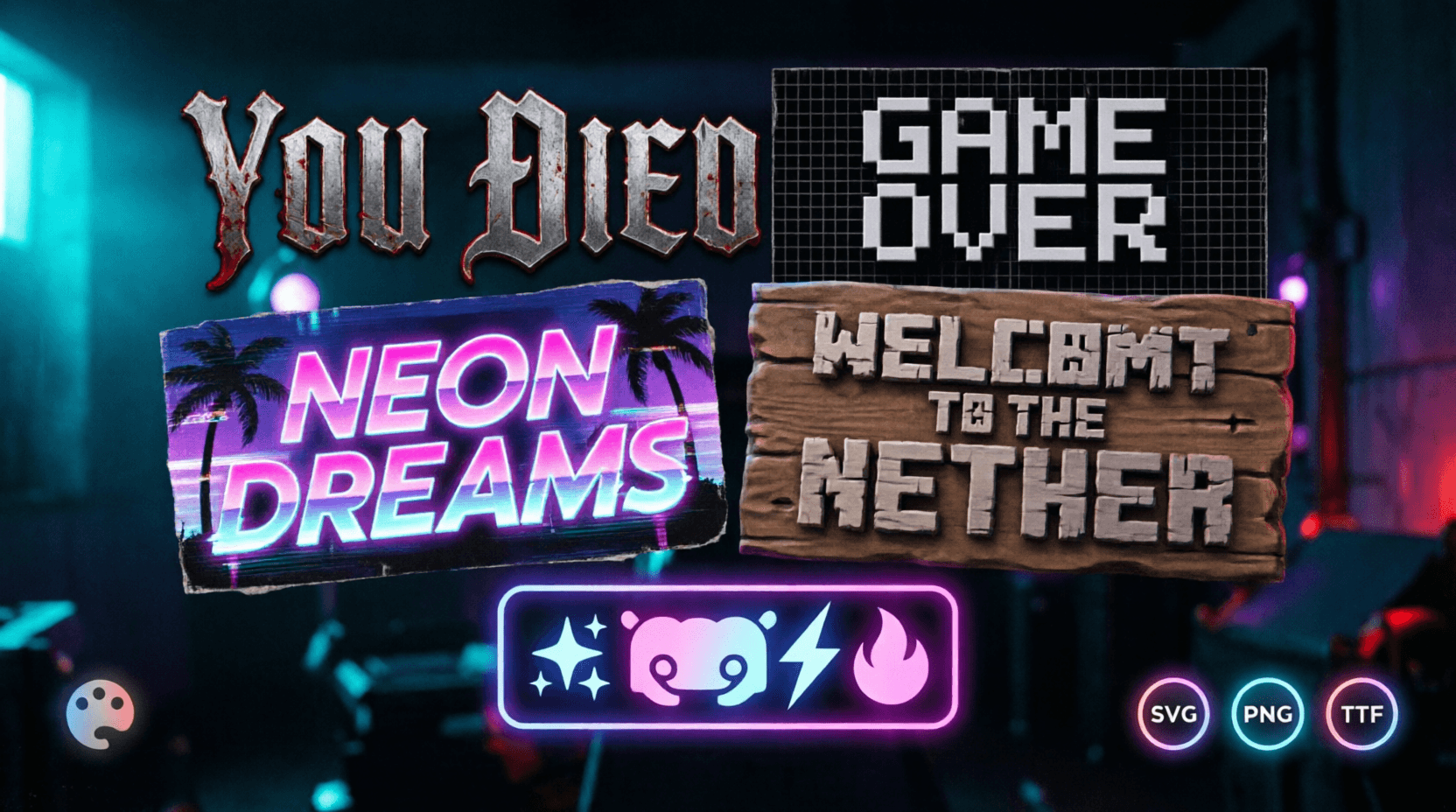
Discover the best free gaming text and font generators in 2026. Create custom Discord symbols, Dark Souls “You Died” text,...
Your Discord server says a lot before anyone even types a message.The name, symbols, channel styling, and visual vibe instantly...