Unlock the full potential of the Dark Souls Text Generator. Learn to create custom Twitch overlays, Discord server banners, meme templates, and phone wallpapers. Free, easy, and unique.
Quick Take: Everyone uses the Dark Souls Text Generator for “YOU DIED” memes. But did you know it can also level up your Twitch stream, Discord server, phone wallpaper, and even physical merch? Here are five unexpected ways to wield this free tool like a Lord of Cinder.
⚔️ Try It Yourself
Open the generator in a new tab and follow along with these ideas.
🔥 OPEN TEXT GENERATOR🎮 1. Custom Twitch “Starting Soon” & BRB Screens
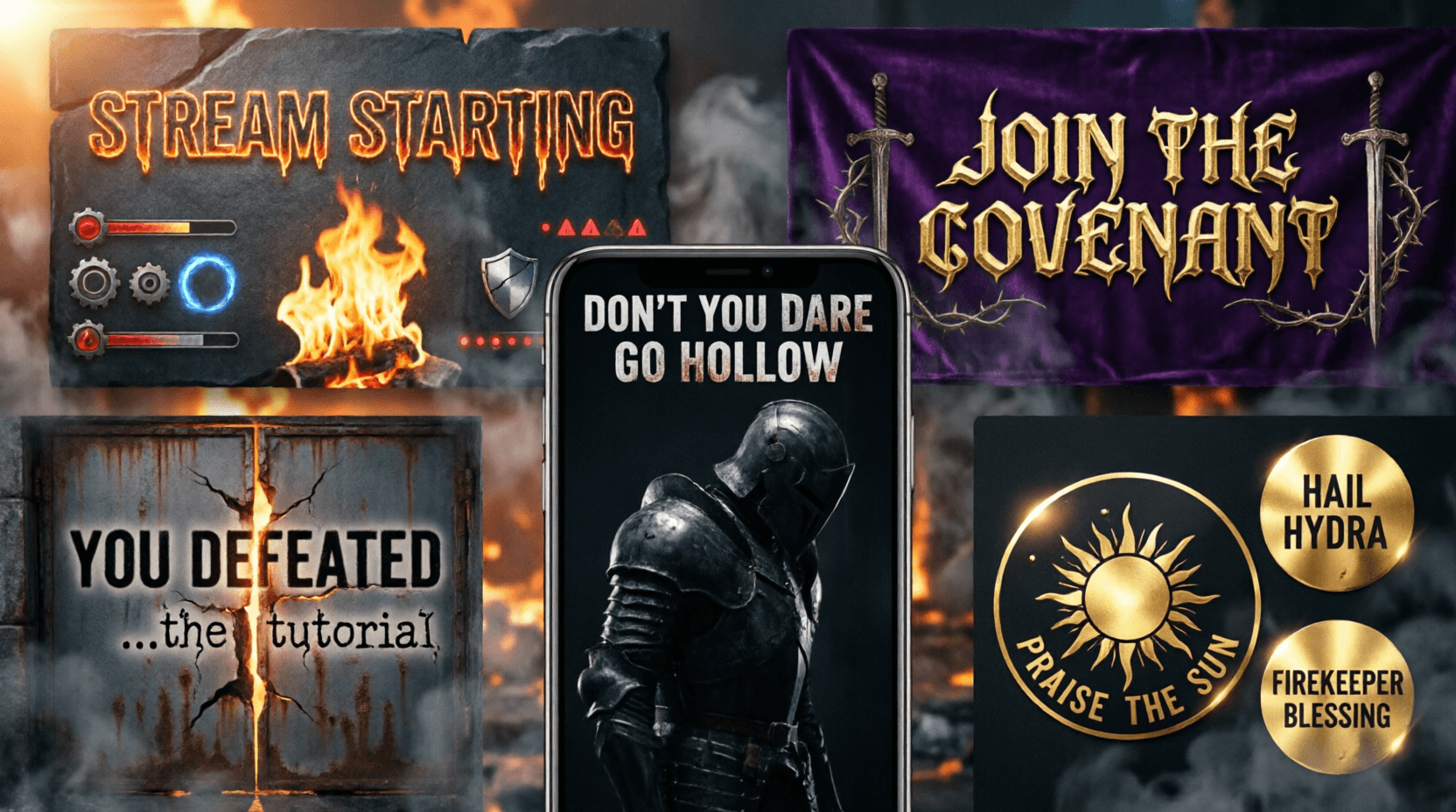
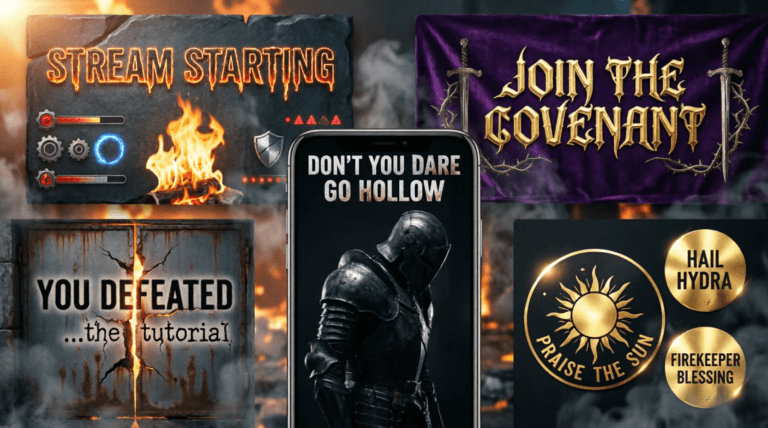
Want your stream to feel like a bonfire in Lordran? Use the generator to create a “STREAM STARTING SOON” or “BRB – KINDLE THE BONFIRE” overlay.
- Steps: Generate your text with a gold or white glow. Download as a transparent PNG.
- Pro Move: Layer it over one of our free Dark Souls wallpapers in OBS. Add a subtle ember particle effect for extra immersion.
- Result: A professional, branded overlay that resonates with Soulsborne fans instantly.
💬 2. Epic Discord Server Banners & Role Names
A boring Discord server is a dead Discord server. Inject some Dark Souls flair with custom text graphics.
- Server Banner: Generate “JOIN THE COVENANT” or your server name in bold Dark Souls style. Use the Discord Symbol Generator to add fancy borders or symbols around the text.
- Role Icons: Create tiny text badges for roles like “Lord of Cinder,” “Ashen One,” or “Trusted Patron.”
- Channel Headers: Make “📜-lore-discussion” or “⚔️-pvp-arena” with the font to unify your server theme.
📱 3. Personalized Phone Lock Screens with Mood
Why settle for a stock wallpaper when you can add a daily dose of motivation (or menace)?
- Idea: Download a moody Dark Souls phone wallpaper from our collection. Open it in any photo editor (even your phone’s built‑in one).
- Overlay: Place your generated text (e.g., “DON’T YOU DARE GO HOLLOW” or “EMBER RESTORED”) as a transparent PNG over the bottom third.
- Bonus: Use our Elden Ring Health Bar Generator to add a fake health bar at the top for the ultimate gamer lock screen.
😂 4. Next‑Level Memes & Reaction Images
“YOU DIED” is classic, but the generator can produce any text. Get creative with your punchlines.
- Examples: “YOU FORGOT TO SAVE,” “BOSS DEFEATED (BARELY),” “CONNECTION LOST,” or “TRY FINGER, BUT HOLE.”
- Application: Screenshot a funny in‑game moment, then overlay your custom text. Post to Reddit, Twitter/X, or Discord for instant karma.
- Template: Combine with our Elden Ring Health Bar Generator to make a full meme card with a boss name and health bar above the text.
🖨️ 5. Printable Stickers & Custom Merch (For Personal Use)
Bring the Lands Between into the real world with DIY stickers or iron‑on transfers.
- How To: Generate text like “PRAISE THE SUN” or “VERY GOOD” in high resolution (use the largest size slider). Download as PNG.
- Print: Print onto sticker paper or transfer sheets using a home printer. Cut out and apply to your laptop, water bottle, or notebook.
- Community Gift: Make a sheet of various messages and give them to your gaming group as small gifts. (Always respect FromSoftware’s IP and keep it personal/non‑commercial.)
💡 Pro Tip: Combine Tools for Maximum Impact
The real magic happens when you layer Ghostern tools. Use the Elden Ring Font Generator for title text, the Dark Souls Text Generator for the main message, and finish with a custom health bar. Download all as transparent PNGs and composite them over a 4K wallpaper. You’ve just created a unique, high‑quality asset that no one else has.
🧩 More Free Tools to Level Up
- 🔹 Dark Souls Text Generator – The star of the show.
- 🔹 Elden Ring Font Generator – For a more gilded, epic style.
- 🔹 Elden Ring Health Bar Generator – Complete the meme.
- 🔹 Discord Symbol Generator – Add fancy symbols to your text.
- 🔹 Dark Souls Wallpaper Collection – Perfect backgrounds.
All tools are free for personal use. No sign‑up required. Now go forth and create, Ashen One.