Discord Name Symbols: What Works, What to Copy and Where
You can put symbols in your Discord display name and your server nicknames, but not in your username. The username (the @handle) takes only lowercase letters, numbers, underscores and periods. Everything else, from ✧ stars to ☾ moons, belongs in the display name. Our free Discord symbol generator runs in your browser with no signup, so you can build a name, copy it and paste it in under a minute.
TL;DR
- Symbols go in your display name and per-server nickname. The username is limited to a-z, 0-9,
_and.. - Copy a symbol, then paste it into User Settings > My Account > Profiles (display name) or into a per-server profile (nickname).
- A symbol that shows as a box on someone else’s screen is missing from their device’s fonts. Pick widely supported marks to avoid it.
- Keep the readable part of your name in plain letters so friends can find you and screen readers can read it.
- Ghostern’s Discord symbol tool is free, needs no account and adds no watermark.
Table of Contents
- Username vs. display name: where symbols are allowed
- Discord name symbols you can copy and paste
- How to add symbols to your Discord name
- Why a symbol shows up as a box on some screens
- Keep your name readable and findable
- Matching your name to your whole profile
- Build your Discord name with Ghostern
- A quick checklist before you save
- FAQ
- Sources
Username vs. display name: where symbols are allowed
Discord gives you three different name layers, and each has its own rules. Mixing them up is the most common reason a pasted symbol “doesn’t work.”
| Name type | Where it shows | Symbols allowed? |
|---|---|---|
| Username (@handle) | Unique across Discord, used for adding friends | No: only a-z, 0-9, underscore and period |
| Display name | Your profile, DMs, and servers where you have no nickname | Yes: special characters, spaces and emoji |
| Server nickname | One server only | Yes, if you have permission to change it |
According to Discord’s help article on usernames and display names, global usernames are 2 to 32 characters, built from lowercase Latin letters and numbers, with underscore and period as the only special characters. The same page says display names can include special characters, spaces and emojis, as long as they stay within the Community Guidelines. It also notes you can change a display name whenever you want.
Two practical consequences follow:
- Don’t hunt for a fancy username. A handle like
luna.moth_is as decorative as it gets. Put the styling in the display name. - Don’t use two periods in a row. Discord’s username rules rule that out, so a handle such as
luna..mothwill be rejected.
If your goal is a name that looks distinctive in every server, the display name is the place to spend your effort.
Discord name symbols you can copy and paste
The marks below are the families that gamers and server members reach for most. Copy the whole line, then swap name for your own.
Stars and sparkles
Soft, aesthetic and easy to read next to letters.
- ⋆ name ⋆
- ✧ name ✧
- ✦ name ✦
- ˖ name ˖
- ⊹ name ⊹
Moons, clouds and flowers
Popular for cozy, night-owl or anime-leaning profiles.
- ☾ name ☽
- ☁ name ☁
- ✿ name ✿
- ♡ name ♡
Brackets and dividers
Useful for clans, teams and roles. They keep the name itself clean.
- 【 name 】
- 「 name 」
- ꒰ name ꒱
- ⟦ name ⟧
- ┃ name ┃
Tags and prefixes
Short marks that sort your name next to similar ones in a member list.
- ☠ name
- ⚔ name
- ♛ name
- ★ name
Gaming-flavored ideas
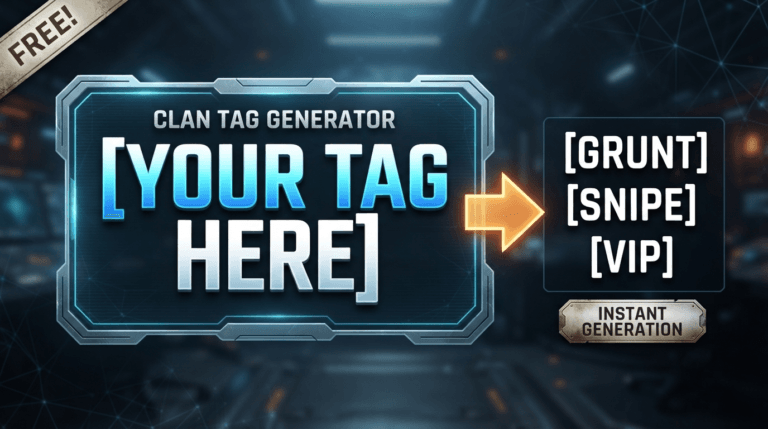
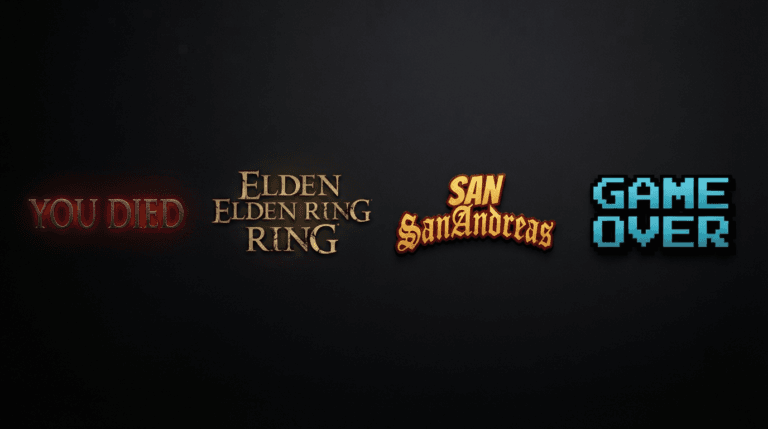
A clan tag pairs well with a symbol on each side: ⚔ [TAG] name ⚔. If you want a themed look, our gaming symbol generator and clan tag maker covers clan tags and Discord marks in one place, and the gaming font generators can produce Dark Souls, Elden Ring, GTA or pixel-style text you can use in your bio and graphics.
How many symbols is too many?
One mark on each side of a name reads as a style. Five in a row reads as noise, and it pushes your actual name out of the narrow space that member lists and mobile notifications show. Start with one pair, look at it in a server and then decide whether to add more.
How to add symbols to your Discord name
The steps differ slightly by where you want the name to appear. Menus can move between app updates, so use the paths below as a guide and check Discord’s help pages if a label looks different.
Step 1: Build and copy your name
Open the Discord symbol generator, pick a style, type your name and tap to copy. It runs in the browser on desktop and mobile, so you don’t have to install anything, and the output has no watermark. Prefer to browse? Copy any line from the lists above.
Step 2: Paste it into your display name
Per Discord, you change a display name in User Settings > My Account > Profiles. Paste your copied text into the Display Name field and save. Your display name now shows across Discord, wherever a server nickname isn’t overriding it.
Step 3: Set a different look for one server
A server nickname changes your name in that server only. Discord documents the same setting under Per-server Profiles in User Settings > Profiles. You can also open the server’s member list, right-click your own name and choose Edit per-server profile, or type the /nick slash command, as described in Discord’s server nicknames guide.
If the option is missing, the server’s admins may have turned off the “Change Nickname” permission for your role. That permission is set per server, so you would ask a moderator there.
Step 4: Check it on mobile and desktop
Open a server on your phone and on a computer if you have both. Names are rendered by each device’s fonts, so a symbol that looks sharp on one screen can look different on another. The next section explains why.
Why a symbol shows up as a box on some screens
You paste a neat ☾ and a friend sees an empty rectangle. That rectangle is often called “tofu,” and it is not a Discord bug.
A character code tells a device which symbol you mean, not how to draw it. According to one explainer on cross-device usernames, a device draws the symbol with its main font, then looks through backup fonts, and shows a box if none of them has the glyph.
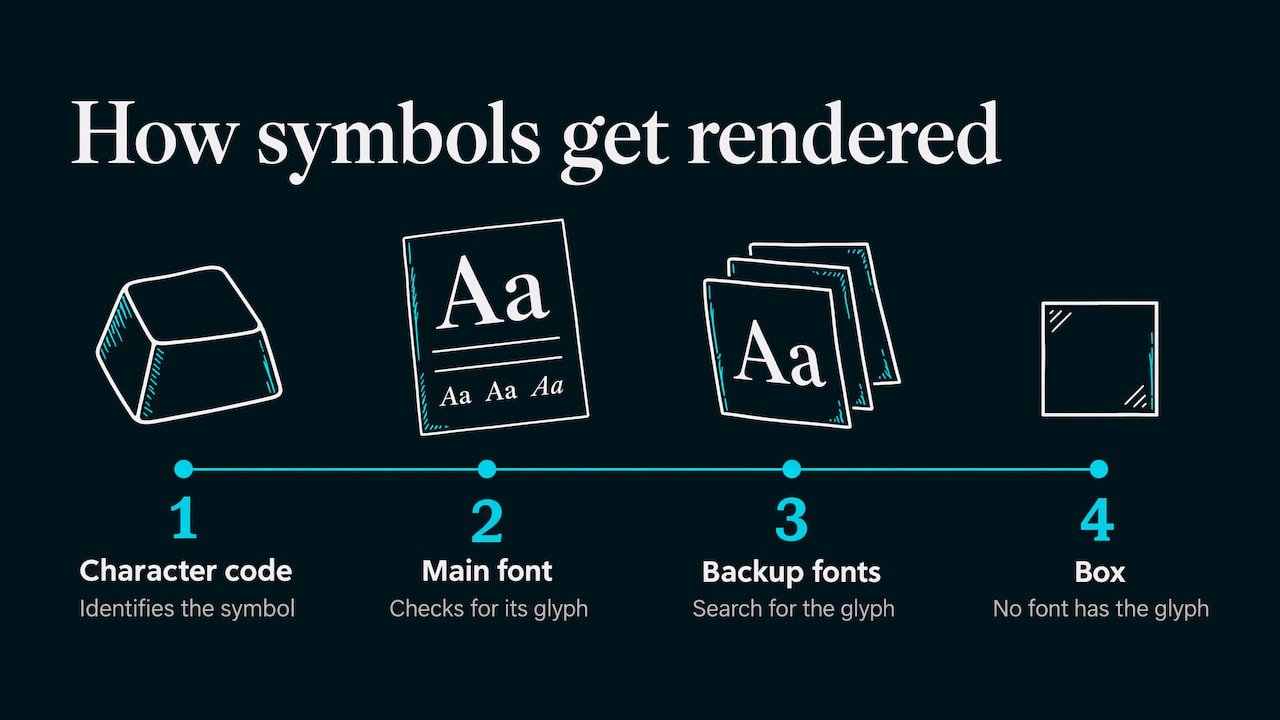
Emoji are the same story. Office Watch’s piece on Unicode points out that an emoji with an official Unicode slot can look very different depending on the receiving device and operating system. An emoji-rendering guide lists the usual system fonts: Apple Color Emoji on macOS and iOS, Segoe UI Emoji on Windows and Noto Color Emoji on Android. It adds that missing glyphs can show as boxes, split into separate characters or turn monochrome.
Discord’s own FAQ on Nitro Display Name Styles says some symbols may not display as expected with custom fonts and fall back to the default gg sans font. It also notes that styles can look different depending on where you view them in the mobile app.
How to keep your name from breaking
- Favor common marks. Stars, hearts, brackets and basic geometric shapes are available on most devices. Rare or very new symbols are the likeliest to turn into boxes.
- Lead with letters. If one symbol fails, the name is still readable.
- Test before committing. Send a message in a private server and ask a friend on another device, or glance at it on your phone and your computer.
- Keep it short. One pair of marks is far less likely to hit a missing glyph than a long chain.
Keep your name readable and findable
Symbols are about looks, but your name also has to do its job.
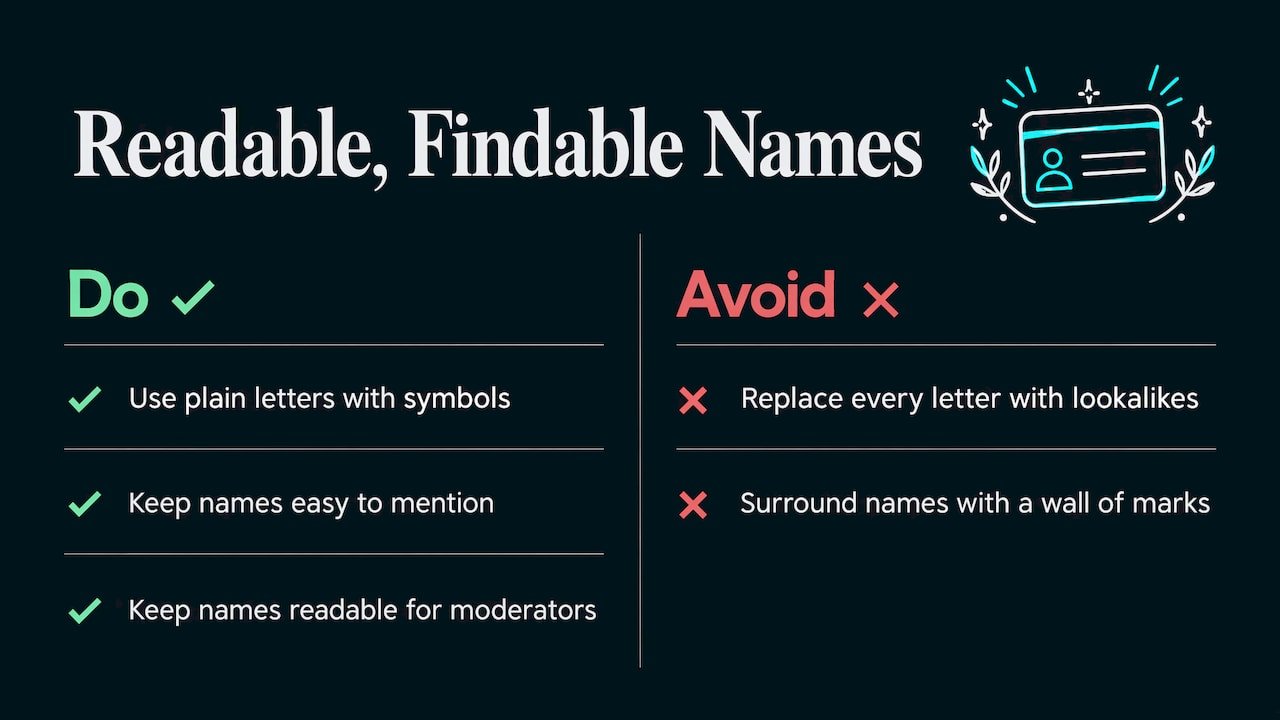
Screen readers. Stylized Unicode letters, such as the “fancy font” alphabets that swap each letter for a lookalike, are read out by the characters’ official names. One accessibility write-up gives the example of mathematical bold letters being announced one at a time, which is tiring to hear and hard to follow. Decorative symbols around plain letters are the friendlier choice: the real name stays intact and only the ornaments are skipped or briefly announced.
Search and mentions. People find you by typing your name. If every letter is a lookalike character, typing the plain version may not bring you up. Plain letters plus a symbol frame solve that.
Moderators and community rules. Display names must stay within Discord’s Community Guidelines, and individual servers can ask for names that are easy to mention. A readable name with a tag is easier for staff to work with than a wall of marks.
Matching your name to your whole profile
A name works best when it fits the rest of your presence. A few pairings that tend to look coherent:
- Soft aesthetic profile: ✧ star or ☾ moon frames, a pastel avatar and an About Me with the same marks as dividers.
- Clan or esports profile: bracketed tag, one bold symbol, short name.
- Streamer profile: the same symbol frame on Discord and on your channel graphics, so viewers recognize you across platforms.
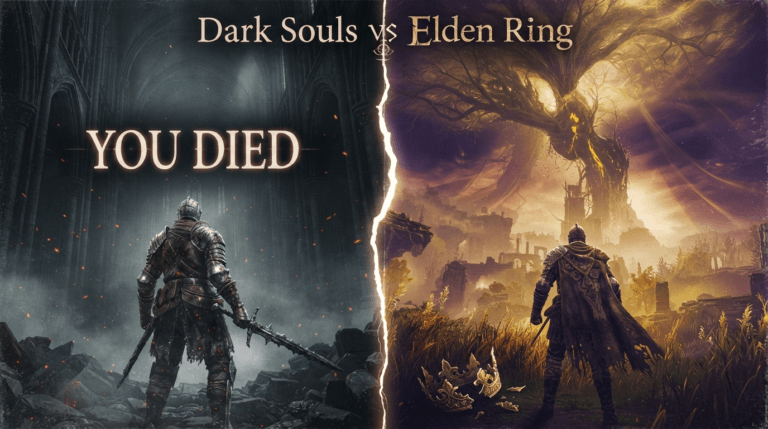
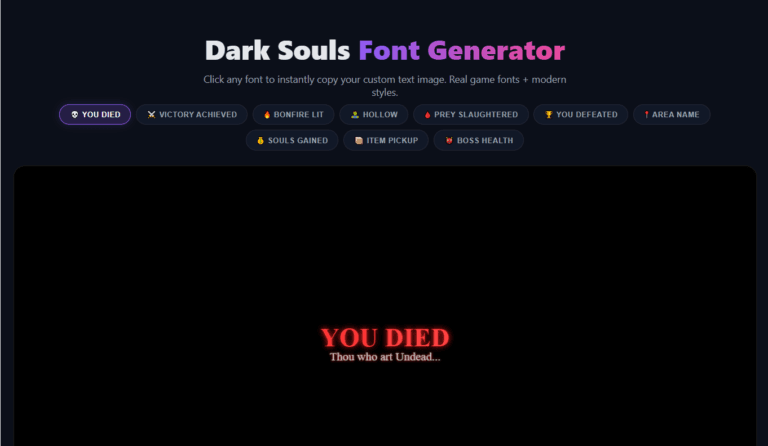
- Soulsborne fan profile: a dark mark like ☠ or ⚔ and a Gothic-style title in your bio. Our Dark Souls text generator makes the “YOU DIED” look as a downloadable PNG for banners.
For a full walkthrough of avatars, fonts and bio layouts, see our Discord profile makeover guide. If you run a server, the Discord server ideas guide shows custom names and symbols for channels and roles.
Build your Discord name with Ghostern
Ghostern’s Discord tools are built for exactly this job. The symbol generator turns your name into ready-to-paste styles, and the clan tag options sit in the same gaming symbol hub. Everything runs in the browser, works on mobile, needs no signup and leaves no watermark. Nothing is locked behind a subscription.

Start at the Discord symbol generator, copy the style you like and paste it into your display name. If you are building a whole look, the same site offers aesthetic text tools for bios and captions, and a comparison of free gaming text and font generators if you want to see what each kind of tool produces.
A quick checklist before you save
- Is the symbol in the display name or nickname, not the username?
- Does the name still read clearly if every symbol disappeared?
- Did you use common marks rather than rare ones?
- Have you checked it on a phone and a computer?
- Does it match your avatar and bio?
- If it’s a nickname, do you have the Change Nickname permission on that server?
If all six are a yes, your name is ready.
FAQ
Can I put symbols in my Discord username?
No. Discord’s global username accepts only lowercase letters a-z, numbers 0-9, underscores and periods, and it’s limited to 2 to 32 characters. Symbols go in your display name or server nickname instead, which accept special characters, spaces and emoji within the Community Guidelines.
How do I change my Discord display name to one with symbols?
Copy the name from the Discord symbol generator, open User Settings, go to My Account > Profiles and paste it into the Display Name field. Save the change. You can edit it again whenever you like.
Why can’t I change my nickname in a server?
Nicknames are controlled per server. Discord lists a Change Nickname permission that your role needs before you can edit your own server nickname. A server admin or moderator can grant it if the server allows custom names.
Why does my symbol look like a square on a friend’s phone?
Their device doesn’t have a font containing that character, so it shows a placeholder box. Switch to a more common symbol, such as a star, heart or bracket, and keep readable letters in the name so it still works if a mark fails.
Are fancy-font Discord names accessible?
Lookalike letters can be read out one character at a time by screen readers, which makes them hard to follow. Plain letters with decorative symbols around them are a better balance of style and readability.
Sources
- New Usernames & Display Names, Discord Support
- Server Nicknames, Discord Support
- Discord Display Name Styles FAQ, Discord Support
- Behind letters, characters and emoji is Unicode, Office Watch
- How Emoji Rendering Works Across Platforms
- Why Your Username Looks Different on Every Device