Best Free Gaming Text & Font Generators in 2026 (Tested, Not Guessed)
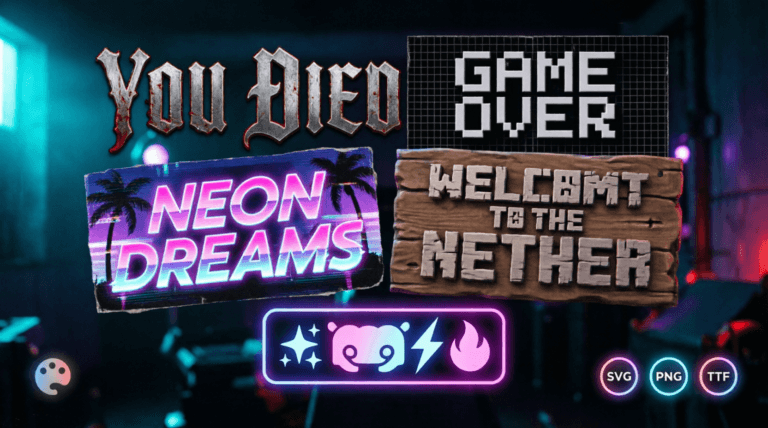
Six font tools separate “looks like a screenshot” from “looks like a Canva template”: correct typeface, correct glow falloff, correct outline weight, transparent PNG export, no watermark, and mobile-safe rendering. Most free generators online fail at least three of those six. I built Ghostern’s font tools specifically to fix that, and I’m going to show you exactly where the gaps are — including in my own tools — so you pick the right one for the job instead of the first one Google shows you.
Quick Comparison: Every Font Style, Side by Side
| Tool | Typeface Basis | Glow/Effects Control | Transparent PNG | Watermark | Best For |
|---|---|---|---|---|---|
| Dark Souls Font Generator | Modified Cinzel | Glow intensity, CRT scanlines, boss HP bar toggle | Yes | None | “YOU DIED” overlays, Twitch death screens |
| Elden Ring Font Generator | Gold Cinzel variant | Gold/Silver/Dark theme presets | Yes | None | Item-found banners, boss title cards |
| GTA Font Generator | Pricedown-style, 4 era presets | Outline weight, gradient primary/secondary | Yes | None | Logo-style clan names, mission title cards |
| Pixel Art Font Generator | 8-bit block grid | 3D shadow depth, transparency | Yes | None | Retro thumbnails, indie game branding |
| Generic Unicode tools (LingoJam-style) | System font substitution | None | No | Varies | Bio text, casual chat styling |
The bottom row matters as much as the top four. If you just need fancy Unicode for a Discord bio, a game-specific generator is overkill — jump to the Discord Symbol Generator or Instagram Font Generator instead. The tools above are for when the typeface itself needs to match a specific game.
The Typeface Details Most Generators Get Wrong
Dark Souls: It’s Not “Just a Gothic Font”
The in-game display font is a modified Cinzel — a modern revival of Roman square capitals, not a horror-genre blackletter font like most generic “dark souls font” tools default to. Cinzel’s letterforms are narrow and evenly weighted; blackletter fonts (common on cheap generators) have inconsistent stroke widths that break the illusion the moment you compare against an actual in-game screenshot.
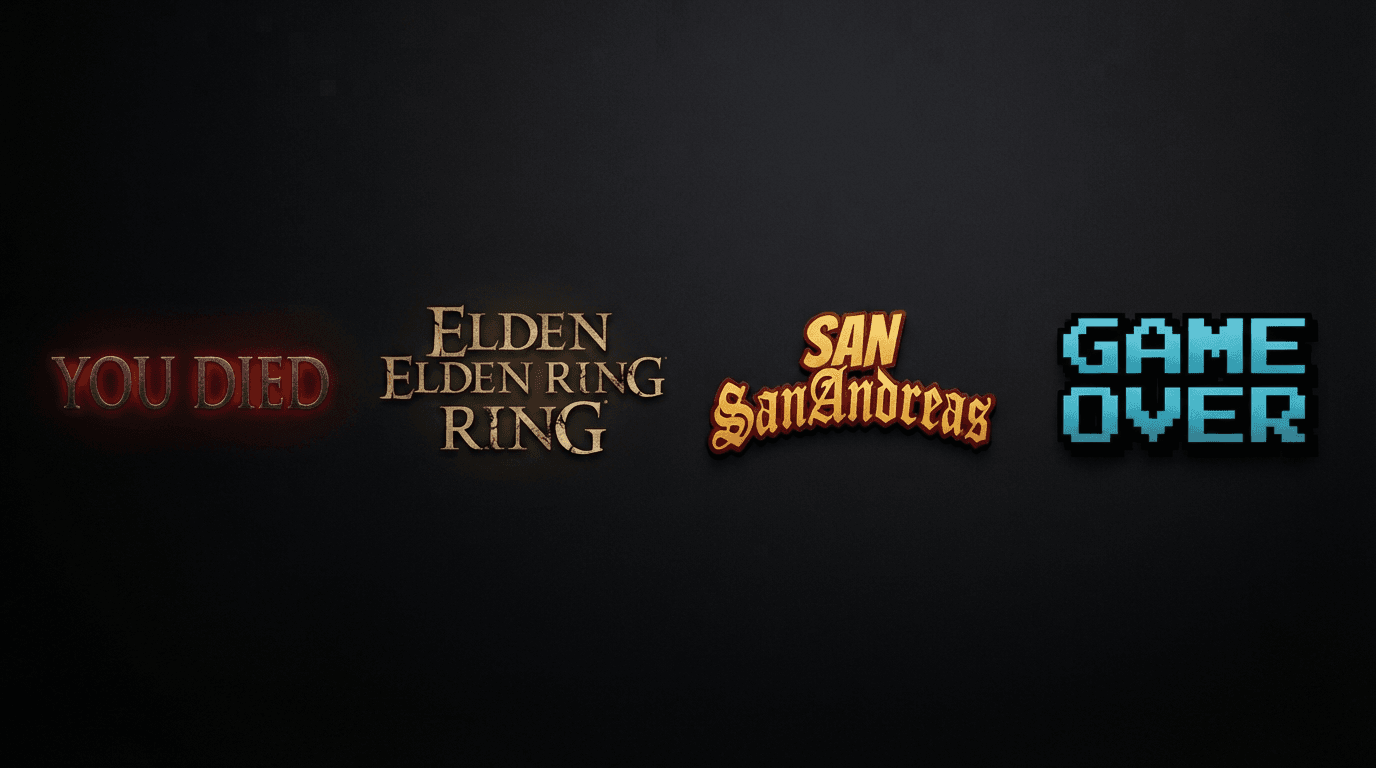
Friction point: most tools apply a flat drop-shadow instead of a radial glow. In-game, the “YOU DIED” text glow falls off unevenly from the center of each letter, not as a uniform block shadow. Ghostern’s generator uses a controllable glow-intensity slider specifically because a fixed shadow value looks wrong at both small and large text sizes — you need to compensate manually depending on your canvas resolution.
Elden Ring: Gold Isn’t Just #FFD700
Elden Ring’s title-card gold is a gradient, not a flat color — it shifts from a warm highlight at the top of each letter to a darker bronze at the base. A flat gold fill (#FFD700 solid) reads as “cheap emoji gold,” not “in-game gold.” This is why the generator ships three presets (Gold, Silver, Dark) instead of a single color picker — the gradient stops are tuned per theme, not just a hue swap.
GTA: The Font Isn’t Licensed for Web Embedding — Here’s the Workaround
Pricedown, the actual GTA logo typeface, isn’t freely licensable for commercial web embedding. Most “GTA font generators” either violate that license silently or fall back to Impact/Anton and hope you don’t notice the difference. Ghostern’s generator uses an italic, heavy-outline treatment across four era-accurate presets (GTA V, Vice City, San Andreas, GTA III) built to visually match each era’s actual title card without embedding the restricted typeface directly — Vice City’s script-style preset and San Andreas’s blackletter preset are pulled from each game’s specific title design rather than reusing one generic “GTA font” for all four.
Pixel Art: Sub-Pixel Rendering Kills Sharpness
Standard system fonts get anti-aliased by the browser — soft, blurred edges — which defeats the entire point of pixel art. A true pixel font generator has to render on a fixed grid with image-rendering: pixelated forced, and disable font smoothing entirely, or every edge comes out fuzzy at small sizes. Check any generator’s output at 16px before trusting it; blurry edges at small sizes means it’s not actually grid-locked.
Common Mistakes That Break Font Generator Output
- Uploading a low-res PNG into a 4K OBS canvas. Most generators export at a fixed 600–800px width. Stretched to fill a 3840px-wide overlay, letters pixelate. Export at the highest resolution option available, then scale down in OBS, never up.
- Pasting Unicode “fancy text” into old Reddit or some mobile keyboards. Unicode-substitution fonts (vaporwave, aesthetic generators) render fine on Discord and Instagram but break into boxes (
□□□) on platforms with limited font fallback support. Game-specific PNG-based generators don’t have this problem — you’re exporting an image, not text. - Assuming “no watermark” on the free tier. Several popular tools (Creative Fabrica among them) lock watermark removal behind a paid plan. Check the export before committing to a workflow built around a tool that’s about to ask for payment.
- Ignoring outline weight at small sizes. A 4px outline that looks sharp at 80px font size turns into a solid black blob at 24px. If your generator has an outline slider, drop it proportionally as you shrink text size — most people never touch this control and wonder why small text looks muddy.
How Ghostern’s Tools Cut the Manual Work
Recreating any of these effects manually in Photoshop means stacking a gradient overlay, a radial glow layer, a stroke effect, and font substitution — four separate steps, each with trial-and-error on opacity and blend mode. Every generator above collapses that into one interface: pick a preset, type your text, adjust two or three sliders, export. The exact glow-falloff math and gradient stops are pre-tuned per game, so you’re not guessing at blend settings — you’re adjusting intensity on a scale already calibrated to look correct at both ends.
Key Takeaway Checklist
| Check before you trust a font generator | Why it matters |
|---|---|
| Does it export a genuinely transparent PNG? | Required for OBS/Streamlabs overlay layers |
| Is the glow/shadow a gradient, not a flat drop-shadow? | Flat shadows don’t match real in-game UI |
| Can you adjust outline weight independently of font size? | Prevents blob-like text at small sizes |
| Is the typeface actually game-accurate, or a generic substitute? | Cinzel ≠ blackletter, gold gradient ≠ flat #FFD700 |
| Does it disable font smoothing for pixel-style output? | Anti-aliasing ruins pixel-grid fonts |
| Is the free tier actually watermark-free? | Some “free” tools gate this behind payment |
Written by Sharjeel — Lead Developer & Founder of Ghostern, software engineer specializing in browser-based gaming tools. I built and personally tested every font generator referenced in this article against actual in-game footage before publishing. Read my full story →
Disclaimer: All game names, typefaces, and visual styles referenced (Dark Souls, Elden Ring, Grand Theft Auto) are trademarks of their respective publishers (FromSoftware/Bandai Namco, Rockstar Games). Ghostern is not affiliated with or endorsed by these publishers. Tool outputs are free for personal use, streaming, and Discord/social branding. For commercial merchandise using game-derived styles, check the relevant publisher’s fan content policy.